

Key Takeaways on Bybit Fee Discounts
As of August 16, 2026, the COINPOP sign-up page states that a 20% discount on trading fees applies for 90 days. Actual fees may vary depending on the base rates for spot and futures, your VIP tier, and your region, so after signing up, check Bybit’s My Fee Rate for the definitive rates.
Verification Criteria and Official Sources
Last verified: August 16, 2026. Fees, KYC requirements, available regions, products, and referral benefits may vary depending on your account, place of residence, timing, and Bybit policies. Before signing up or trading, recheck the official pages below and the actual terms shown after you log in.
- Bybit Official Trading Fee Structure
- Bybit Official FAQ on Individual KYC
- Bybit Notice on Countries with Restricted Services
- Bybit Proof of Reserves
The source links above are unaffiliated links for information verification. The sign-up link in this article may include an affiliate identifier, and CoinPop may receive compensation when eligible users sign up or trade.
Related CoinPop Guides
- The Complete Bybit Fee Guide for 2026 – Spot, Futures, VIP, MNT, Funding Fees, and Ways to Save
- Bybit Referral and Account Security Guide 2026 – A Complete Overview of Adding a Referral Code Later, Existing Accounts, KYC, Passkeys, and 2FA
- Bybit vs. Bitget 2026 – How to Choose Based on Fees, Futures, Copy Trading, and Security
- How to Deposit and Withdraw on Bybit in 2026 – A Guide to Networks, Tags, the Travel Rule, Upbit, and Bithumb
Founded in 2018, Bybit is a global digital asset trading platform offering spot and perpetual and expiry futures, options, a Unified Trading Account (UTA), trading bots, copy trading, Earn, APIs, and more.
This article covers key information for account creation and KYC, deposits and withdrawals, trading fees, futures trading, automated trading, and risk management.
The products actually available to you and the maximum leverage may vary depending on your region of residence, account verification status, trading contract, and Risk Limit. Check your account screen and the latest official guidance before trading.
2026 Bybit Discount Link
1. Mastering Bybit: The Core Structure of a Global Derivatives Trading Platform
Founded in 2018, Bybit is a global digital asset trading platform and one of the leading exchanges by trading volume and liquidity, particularly in cryptocurrency derivatives such as perpetual contracts.
As of 2026, Bybit offers a wide range of features on a single platform, including spot trading, USDT- and USDC-based derivatives, inverse contracts, options, a Unified Trading Account (UTA), Trading Bots, Copy Trading, Earn, and API-based automated trading.
Therefore, rather than viewing Bybit simply as a “Bitcoin futures exchange,” it is more accurate to describe it as a global trading platform that integrates spot, derivatives, automated trading, and asset management features.
Bybit’s Position in the Global Market
Cryptocurrency exchange rankings vary depending on the rating organization and the time of measurement.
This is because they differ in their evaluation criteria, which include:
- 24-hour spot trading volume
- Derivatives trading volume
- Open interest
- Liquidity
- Number of trading pairs
- Web traffic
- Reserves
- Trust score
Therefore, it is not appropriate to refer to Bybit categorically as “the world’s second-largest derivatives exchange.”
However, as of 2026, the most reliable description is that Bybit is one of the world’s top-tier cryptocurrency exchanges by global trading volume.
CoinGecko’s Bybit Futures data also shows that Bybit records daily derivatives trading volume worth billions of dollars and substantial open interest, placing it among the major exchanges in the global derivatives market.
In other words, rankings change with market conditions, but it is clear that Bybit has secured substantial liquidity and trading volume in global derivatives trading.
Why Liquidity Matters in Derivatives Trading
Simply looking at the number of supported coins is not enough when choosing a futures exchange.
In derivatives trading in particular, liquidity has a direct impact on actual trading costs.
In a highly liquid market, typically:
- The bid-ask spread narrows
- The price impact of large orders decreases
- The likelihood of execution near the desired price increases
- It becomes easier to reduce the risk of slippage on market orders.
Conversely, in trading pairs with insufficient liquidity, there may be a large gap between the displayed market price and the actual average execution price.
Therefore, users placing large positions or engaging in short-term scalping should check not only the exchange’s overall trading volume but also the order book depth and trading volume of the specific asset they plan to trade.
100,000 TPS Matching Engine
On its official sign-up and product information pages, Bybit states that the matching engine in its trading infrastructure can process up to 100,000 transactions per second (100k TPS).
A matching engine is a core system that links users’ orders with opposing orders in the order book to execute trades.
For example:
- Market buy orders
- Limit sell orders
- Stop orders
- Liquidation orders
When large numbers of these orders occur simultaneously, the matching engine must process a very large number of requests quickly.
In particular, in cryptocurrency markets, events such as CPI and FOMC announcements, ETF-related news, and large-scale liquidation events can cause order volumes to surge sharply in a short period.
For this reason, a matching engine’s processing capacity is an important infrastructure metric for a trading platform.
100k TPS Does Not Mean “Perfect Execution Every Time”
High system throughput is an advantage in terms of trading infrastructure, but actual order execution is also affected by the following factors:
- Market liquidity
- Order book depth
- Network latency
- Order type
- Market volatility
- Trading volume
- The user’s internet connection
- Liquidity of the trading pair
Therefore, no exchange can guarantee immediate execution at a specific price under all market conditions.
Market orders are more likely to be executed, but in volatile markets they may fill across multiple price levels at less favorable prices than expected.
In other words, high TPS is a measure of system processing capacity, not a guarantee that slippage will not occur.
Cryptocurrency Derivatives Markets Operate 24/7
Unlike traditional financial markets, cryptocurrency markets generally operate 24 hours a day, including weekends and public holidays.
This makes the stability of trading platforms and their order infrastructure even more important.
Bybit also operates its major cryptocurrency spot and perpetual futures markets 24 hours a day.
However, specific products may be subject to system maintenance, network maintenance, or separate trading hours by market, so it should not be assumed that all financial products are always traded on the same 24-hour schedule.
Bybit’s Features from a Korean User’s Perspective
Korea’s leading KRW exchanges include:
- Upbit
- Bithumb
- Coinone
- Korbit
These exchanges primarily offer spot trading using the Korean won (KRW).
By contrast, Bybit offers a broader range of trading features based on the global market, including:
- USDT Perpetual Contracts
- USDC-Based Derivatives
- Expiry Futures
- Options
- Long/Short Positions
- Leverage
- Cross Margin
- Isolated Margin
- Portfolio Margin
- Trading Bots
- Copy Trading
- API Trading Automation
Therefore, domestic KRW spot exchanges and Bybit serve different roles rather than being platforms with exactly the same purpose.
Some users may use domestic exchanges for KRW deposits and withdrawals and to buy spot assets, while separately considering an overseas platform such as Bybit when they need global derivatives or other supported features.
Unified Trading Account (UTA)
One of Bybit's key account structures is the Unified Trading Account.
UTA is designed to manage multiple trading products and collateral assets in a more integrated way within a single account.
Through UTA, Bybit allows users, subject to applicable support conditions, to trade:
- Spot
- Spot Margin
- USDT Perpetual
- USDC Perpetual
- Expiry Futures
- Options
and other products within a single account system.
Cross Margin or Portfolio Margin may also allow users to use multiple supported assets as collateral.
This can reduce the inconvenience of repeatedly transferring spot and derivatives assets between separate wallets, and improve capital efficiency.
However, Collateral Value Ratios may vary by collateral asset, and losses on derivatives can also affect spot assets used as collateral. UTA should therefore not be regarded as a “risk-free unified account.”
Key Products Available for Trading on Bybit
Spot
A spot market where users buy or sell actual cryptocurrencies.
USDT Perpetual
A perpetual futures contract that uses USDT for settlement and as margin.
It is one of the most commonly traded derivatives on Bybit.
USDC Contracts
Derivatives that use USDC.
Check the current product listings for supported perpetual, expiry, and options products.
Inverse Contracts
A contract structure that uses BTC or another supported cryptocurrency itself as the margin and settlement asset.
Options
Derivatives that trade the right to buy or sell a specific asset under specific price conditions in the future.
Their structure is more complex than that of simple Long/Short futures, and traders need to understand concepts such as volatility, expiry, strike prices, and Greeks.
Bybit Is Not Suitable for Everyone
The fact that Bybit offers a wide range of features does not mean it is an essential platform for every investor.
Its features may be overly complex for:
- Long-term BTC spot investors who prefer a simple approach
- Users who do not use leverage at all
- Users who only need domestic KRW trading
Conversely, the following users may make relatively greater use of Bybit's features:
- Perpetual futures traders
- Users who trade both Long and Short
- Scalpers
- Users employing hedging strategies
- Users who automate trading via API
- Trading Bot users
- Users seeking to manage spot and derivatives assets together
The Most Important Criteria for Understanding Bybit
When evaluating an exchange, looking only at its ranking as “one of the world's largest” is not enough.
In actual trading, the following factors may matter more:
- Liquidity of the desired trading pair
- Maker/Taker fees
- Funding Rate
- Order book depth
- Order types
- API performance
- System stability
- Asset protection features
- Deposit and withdrawal networks
- Service availability in your country of residence
Therefore, the most reasonable approach is to evaluate Bybit based on the features you need for your intended use.
2. Why Bybit? Technical Advantages and Market Structure
Professional traders choose an exchange based on more than just brand recognition or signup promotions.
This is especially true for derivatives:
Liquidity + Fees + Order Features + Margin System + Trading Infrastructure + Risk Management Features
These can directly affect actual trading performance.
Bybit's key features should also be assessed from this perspective.
Leverage: Dynamic Leverage that varies by instrument and position size
As of 2026, Bybit's official documentation states that maximum leverage for USDT Perpetual and Futures contracts varies by contract and Risk Limit Tier.
In other words, the same 100x or 125x leverage is not available for every futures instrument.
Risk Limits and Maximum Leverage
Bybit uses a Risk Limit system based on Dynamic Leverage.
The core principle is:
the larger the position, the lower the maximum leverage available may be
.
For example, Bybit's official explanation of Risk Limits describes a case in which a trader selects 90x leverage for a BTCUSDT contract. To increase the order beyond the maximum position value allowed at that Risk Tier, the trader must lower the leverage.
In other words, maximum leverage depends on the following factors:
- Trading pair
- Contract type
- Current Risk Limit Tier
- Existing position size
- Active order size
Therefore, rather than answering “What is Bybit's maximum leverage?” with a single number, it is more accurate to say that you should check the current Risk Limit table for the contract you intend to trade.
Some Products Have Lower Maximum Leverage
Not all derivatives offer the same maximum leverage as BTCUSDT.
For example, the BITOUSDT Perpetual Contract, listed in July 2026, launched with maximum leverage of 25x, according to an official Bybit announcement.
This shows that maximum leverage can vary considerably depending on the asset and product.
Smart Leverage Should Be Distinguished from Standard Futures Leverage
In 2026, Bybit also offers Smart Leverage products that support up to 200x leverage on certain tokens.
However, these are not the same products as standard USDT Perpetual leverage settings.
Smart Leverage is a separate structured financial product with features such as:
- A fixed term
- Breakeven Price
- Settlement Price
- Early redemption
and other distinct product structures.
Therefore, the phrase “up to 200x leverage on Bybit” should not be confused with the maximum leverage available for regular futures trading.
How should leverage limits on new accounts be understood?
The leverage available on Bybit varies depending on account verification status, place of residence, the maximum for each trading contract, Risk Limits, and position size.
The same maximum leverage is not guaranteed to every user immediately after signing up, so before trading, check the values currently applicable on the order screen and in the Risk Limit table for the relevant contract.
What it means for high leverage to improve capital efficiency
Using leverage can reduce the initial margin required to establish the same position.
For example, for a 10,000 USDT position, simplified:
- 2x → approximately 5,000 USDT initial margin
- 5x → approximately 2,000 USDT
- 10x → approximately 1,000 USDT
- 20x → approximately 500 USDT
These figures can be understood as approximate levels.
However, as leverage increases:
- The liquidation price moves closer
- P&L fluctuations become larger relative to the margin
- Small price movements can have a greater impact on the account.
Therefore, “maximizing capital efficiency” should not be presented as an unqualified benefit.
100k TPS matching engine
Bybit’s official sign-up page currently lists Matching Engine: 100k TPS as a feature of its trading infrastructure.
Infrastructure capable of reliably handling large volumes of orders is important in derivatives trading.
In particular, when the following coincide:
- A sharp increase in volatility
- A liquidation cascade
- Major economic data releases
- Large market orders
The volume of trading requests can surge momentarily.
Therefore, a high-throughput matching engine is one of a platform’s important technical foundations.
System performance does not prevent slippage
Slippage can result not only from exchange server performance but also from order book liquidity.
For example, if the sell offers are:
Example order: 100,000 USDT — 0.1 BTC
Example order: 100,100 USDT — 0.2 BTC
Example order: 100,300 USDT — 1 BTC
If these are the only offers available, a market buy for 1 BTC cannot be filled entirely at 100,000 USDT, no matter how fast the matching engine is.
Therefore, matching engine speed and slippage may be related, but they are not the same thing.
Capital efficiency through the Unified Trading Account
Another structural feature of Bybit is UTA.
UTA is designed to let users access multiple trading products and supported collateral assets through a single account system.
In Cross Margin or Portfolio Margin environments, positions can be managed using the combined collateral value of multiple supported assets.
This can offer capital-efficiency advantages to users trading several derivatives simultaneously or combining spot positions with hedges.
However, greater capital efficiency can also mean that the risks of multiple positions become interconnected.
What is the Travel Rule?
The Travel Rule is a regulatory framework that requires virtual asset service providers (VASPs) to verify and transmit information about the sender and recipient during certain virtual asset transfers, as part of anti-money laundering (AML) measures.
Following the FATF’s recommendation that the Travel Rule apply to virtual asset service providers, various countries have implemented it in accordance with their own laws and standards.
South Korea has also had a virtual asset Travel Rule regime in place since 2022.
In South Korea, the “KRW 1 million or more” threshold should be explained carefully
In South Korea, it is generally understood that Travel Rule-related verification procedures apply to virtual asset transfers worth KRW 1 million or more.
However, this should not be described as:
“Since it is connected to Bybit, transfers of KRW 1 million or more can be made freely without any procedures.”
That would be an inaccurate description.
Whether a transfer can actually be made depends on:
- The domestic exchange you use
- The overseas exchange involved
- Whether account-holder verification services are supported
- The coin
- The network
- The personal information associated with the sending and receiving accounts
- The exchange policies in effect at the time
And other factors.
Upbit’s account-holder verification system
Upbit operates an account-holder verification service based on VerifyVASP.
When funds are deposited from an overseas exchange to Upbit, the following information for the sending exchange account and the Upbit account may be checked for a match before the deposit is credited:
- Name
- Date of birth
And other details.
Upbit maintains a separate list of supported VASPs, which may change.
Therefore, when transferring funds between Bybit and Upbit, the most accurate approach is to check Upbit’s latest list of supported exchanges on the day of the transfer.
Separate checks are also needed for Bithumb, Coinone, and other exchanges
Support for asset transfers between Bybit and domestic exchanges, as well as the account-holder verification method, varies by exchange and may change.
Before transferring funds from Upbit, Bithumb, Coinone, or another domestic exchange to Bybit, or withdrawing from Bybit, check the latest Travel Rule-supported VASP list and identity verification requirements published by the domestic exchange you use.
Matching personal information is important
When verifying account holders between a domestic exchange and Bybit, matching KYC information is important.
In particular, differences in the following may require additional verification during deposits or withdrawals, or delay crediting:
- Full name
- Name in English
- Date of birth
And other details.
Therefore, before transferring assets, it is advisable to make sure your personal information is registered identically on the domestic exchange and Bybit.
The Travel Rule does not “guarantee” safe transfers
Travel Rule integration is a regulatory system for anti-money laundering and account-holder verification.
Therefore, it should not be interpreted to mean:
“Asset transfers are safe because the exchanges are integrated with the Travel Rule.”
That is not what it means.
Users still need to verify the following carefully:
- Coin
- Network
- Deposit address
- Tag/Memo
- Minimum deposit amount
And other details.
The Travel Rule may not automatically prevent mistakes such as using an incorrect address or network.
A practical asset transfer process for users in South Korea
For users in South Korea using Bybit, a typical asset transfer process can be understood as follows:
- Deposit KRW into a domestic exchange
- Buy a cryptocurrency that can be transferred
- Check the deposit address on Bybit
- Check whether the domestic exchange supports transfers to Bybit
- Complete Travel Rule and account-holder verification
- Check the coin, network, and tag
- If possible, make a small test transfer
- Confirm the deposit on Bybit
- Convert to the desired trading asset
- Trade spot or derivatives
Summary of Bybit’s Key Advantages
As of 2026, it is more appropriate to identify Bybit’s strengths in the combination of its various trading infrastructure components rather than in any single feature.
| Area | Features |
|---|---|
| Markets | Global spot and derivatives |
| Derivatives | Derivatives: Perpetuals, Futures, Options |
| Account Structure | Unified Trading Account (UTA) |
| Leverage | Dynamic leverage by contract and risk tier |
| Orders | Market, Limit, Conditional, TP/SL, and more |
| Automation | Automation features: Trading Bot, Copy Trading, API |
| Infrastructure | Matching engine rated at 100k TPS, according to official information |
| Margin | Margin modes: Isolated, Cross, Portfolio Margin |
| Asset Management | Supports Earn and more |
| Korean Users | Check whether each domestic exchange supports the Travel Rule |
Conclusion: Focus on the Actual Trading Environment, Not Rankings
As of 2026, Bybit is a major trading platform with substantial trading volume and liquidity in the global cryptocurrency market.
However, when describing Bybit’s advantages, avoid claims such as:
"Unconditionally the world’s No. 2"
"Unlimited access to 125x leverage from a new account"
"Guaranteed execution with no delays in any volatile market"
"Automatic transfers of over KRW 1 million to domestic exchanges"
It is best to avoid such claims.
These conditions may change depending on market conditions, contracts, risk limits, account status, regulations, and exchange policies.
For a more accurate assessment, compare the following together:
Liquidity, fees, leverage by contract, UTA structure, order features, risk management systems, and deposit and withdrawal compatibility
.
After understanding this structure, selectively using only the features your strategy requires is the most practical way to use Bybit efficiently.


3. Bybit 20% Fee Discount: How Much Can You Reduce Trading Costs?
For high-frequency and leveraged trading, fees are not merely incidental expenses. As trading frequency increases, they become a key variable that directly affects long-term net returns.
In particular, in futures trading, fees are calculated based not on the user’s initial margin but on the notional value of the executed position. As a result, the higher the leverage used, the heavier the fee burden can feel relative to the margin.
Why Fees Increase in Leveraged Trading
Bybit’s standard futures trading fees are divided into Maker and Taker fees.
As of 2026, Bybit’s official fee schedule lists the following standard rates for non-VIP perpetual and futures trading.
| Category | Standard Fee Rate |
|---|---|
| Maker | 0.020% |
| Taker | 0.055% |
The fees actually applied may vary depending on the user’s VIP tier, trading product, region, and promotions. For the most accurate information, check the My Fee Rate page after logging in.
Basic Fee Formula
The basic fee calculation for futures trading can be understood as follows:
Trading fee = executed position value × applicable fee rate
For example, assume:
- Initial margin: 1,000 USDT
- Leverage: 10x
- Position size: 10,000 USDT
- Taker fee rate: 0.055%
.
The entry fee would be:
10,000 × 0.00055
= 5.50 USDT
.
If you close a position of the same size again with a market order while the price has barely changed, you may incur approximately 5.50 USDT in Taker fees when closing as well.
Therefore, the simple round-trip trading cost is:
approximately 11 USDT
.
This is approximately 1.1% of the initial 1,000 USDT margin.
Leverage Does Not Increase the Fee Rate
The important point is that leverage itself does not increase the fee rate by 10 or 100 times.
The fee rate remains the same, but using leverage to create a larger position increases the notional value used to calculate the fee.
For example, with the same 1,000 USDT margin:
| Leverage | Position Size | 0.055% Taker Entry Fee |
|---|---|---|
| 1x | 1,000 USDT | 0.55 USDT |
| 5x | 5,000 USDT | 2.75 USDT |
| 10x | 10,000 USDT | 5.50 USDT |
| 20x | 20,000 USDT | 11 USDT |
| 50x | 50,000 USDT | 27.50 USDT |
.
Therefore, fee management is even more important for traders who use high leverage and take large positions.
How Fees Accumulate in High-Frequency Trading
A cost of around 5–10 USDT on a single trade may seem small.
However, the picture changes when you repeat the same type of trade.
For example, if the round-trip trading cost is 11 USDT:
- 10 trades → approximately 110 USDT
- 100 trades → approximately 1,100 USDT
- 1,000 trades → approximately 11,000 USDT
in fees may be incurred.
This is a simplified example that excludes price movements, VIP tier, the proportion of Maker orders, and funding fees, but it demonstrates that even small fee differences can add up to a significant amount over time in scalping and high-frequency trading.
Calculation Example With a 20% Fee Discount Applied
Let’s assume that the 20% trading fee discount is actually applied to your account when you sign up through the COINPOP partner link.
If the standard Taker fee is:
0.055%
then a simple calculation after a 20% discount is:
0.055% × 0.80
= 0.044%
.
The entry fee for a 10,000 USDT position is:
Standard:
10,000 × 0.055%
= 5.50 USDT
Assuming a 20% discount:
10,000 × 0.044%
= 4.40 USDT
Difference:
Approximately 1.10 USDT
.
If we simply assume that the same conditions apply to both entry and exit, the round-trip savings would be approximately:
2.20 USDT
.
Examples of the effect of fee discounts by trading volume
Assuming the same 20% discount applies:
| Round-trip notional trading volume | Estimated round-trip cost at the standard 0.055% Taker rate | After 20% discount | Difference |
|---|---|---|---|
| 10,000 USDT | Approximately 11 USDT | Approximately 8.80 USDT | Approximately 2.20 USDT |
| 100,000 USDT | Approximately 110 USDT | Approximately 88.00 USDT | Approximately 22.00 USDT |
| 1,000,000 USDT | Approximately 1,100 USDT | Approximately 880 USDT | Approximately 220 USDT |
| 10,000,000 USDT | Approximately 11,000 USDT | Approximately 8,800 USDT | Approximately 2,200 USDT |
Actual fees vary depending on the position value at entry and exit, whether the order is Maker or Taker, VIP tier, and other factors.
Therefore, this table is an example to illustrate the effect of the discount.
You can reduce costs further by using Maker orders
Referral discounts are not the only way to save on fees.
When the standard fees for Bybit futures are 0.020% for Maker orders and 0.055% for Taker orders, whether you use Maker orders can make a significant difference.
For example, for a 100,000 USDT position:
Taker:
100,000 × 0.055%
= 55 USDT
Maker:
100,000 × 0.020%
= 20 USDT
.
That is a difference of 35 USDT on a single fill.
Therefore, high-frequency traders should make use of the following together:
- Limit Order
- Post Only
- Maker fills
- VIP Fee Tier
- Partner fee discounts
COINPOP Bybit fee discount registration link
If you want to receive a fee discount through the COINPOP partner link when signing up for Bybit, you can use the link below.
Referral code: COINPOP
Registration link:
Or visit the COINPOP information page:
After registering, we recommend checking the fee rate actually applied to your Bybit account under My Fee Rate.
Depending on its Bybit partnership terms and the promotions running at the time, COINPOP may offer additional rewards or cashback programs to users who meet the deposit and trading requirements.
However, these rewards may be promotions separate from Bybit’s standard trading fee discounts, and eligibility may depend on:
- Whether you are a new user
- Net deposit amount
- Trading volume
- Promotion period
- Participation registration
- Eligible countries
- Account status
and other factors, so actual payment and the maximum reward amount may vary.
Therefore, promotional claims such as additional discounts and cashback of up to 80% should not be understood as guaranteed benefits available to every user.
The most reliable approach is to check the current terms on the COINPOP information page and the Bybit registration screen before participating.
Distinguish the general referral program from partner discounts
Bybit has a Referral Program that allows regular users to invite friends.
The commission paid to a referrer under the general Referral Program is not the same as the partner fee discount received by the person who signs up.
Therefore, be sure to distinguish between:
- Commission paid to the referrer
- Trading fee discount received by the new user
- Welcome bonus
- Deposit promotion
- Separate COINPOP cashback
.
Key points on fee discounts
To minimize trading costs, it is efficient to take the following steps:
- Check your actual My Fee Rate
- Understand Maker and Taker fees
- Use Limit/Post Only orders where possible
- Reduce excessive market orders
- Check VIP tier requirements
- Confirm whether the partner discount is applied when registering
- Calculate total trading costs, including funding fees
For high-frequency and high-leverage traders, even a fee difference of a few basis points can add up to a significant cost over the long term.
4. Identity Verification (KYC): A Complete Guide to Standard, Advanced, and Pro Verification
On Bybit, KYC (Know Your Customer) is a key verification process for confirming account holders’ identities and managing the risks of money laundering, account takeover, and other financial crimes.
As of 2026, Bybit divides individual identity verification into three levels:
- Standard
- Advanced
- Pro
.
According to Bybit’s official guidance, at least Standard-level Identity Verification is a basic requirement for using Bybit products and services. Additional verification may be required depending on the product or region.
KYC requirements by level
| Verification level | Key requirements |
|---|---|
| Standard | Identity Assessment + Proof of Identity (POI) |
| Advanced | Add Proof of Address (POA) |
| Pro | Add Enhanced Due Diligence |
Basic Verification: Standard Verification
Most individual users typically complete Standard Verification first.
Standard Verification typically requires:
- Personal information
- Government-issued ID
- Face verification
- Identity Assessment
among other things.
Standard KYC Withdrawal Limit
As of 2026, according to Bybit's official KYC FAQ, the maximum cryptocurrency withdrawal limit for a Non-VIP individual account with Standard Verification is:
Up to 1,000,000 USDT equivalent per day
.
Accounts that have completed Standard or Advanced Verification are generally not subject to a separate monthly withdrawal limit.
However, the actual amount available for withdrawal may vary due to security reviews, account status, token-specific withdrawal restrictions, and other factors.
Advanced Verification
In addition to Standard Verification, Advanced Verification requires Proof of Address (POA), meaning proof of residence.
Acceptable documents may vary depending on your country and Bybit's current requirements, but typically include:
- Utility bills
- Bank statements
- Government-issued proof of residence
- Other address verification documents
among other documents.
Documents must meet Bybit's requirements for issue date, name, and address.
Advanced/Pro Withdrawal Limits
For Non-VIP users, the default maximum daily withdrawal limit for Advanced/Pro Identity Verification is:
2,000,000 USDT equivalent
.
Higher withdrawal limits may be available depending on your VIP or Pro tier.
For example, Bybit's official 2026 guidance states that higher daily withdrawal limits—ranging from several million to tens of millions of USDT—may be available to top-tier VIP and Pro accounts.
Therefore, users managing large amounts of funds should check their:
- KYC level
- VIP tier
- Individual withdrawal limit set on the account
together.
Step-by-Step KYC Verification Process
Step 1: Open the Identity Verification Menu
In the Bybit app or on the website:
Identity Verification menu path: Profile → Account & Security → Identity Verification
Go to the relevant menu.
The menu name and location may change with app updates.
Step 2: Start Standard Verification
Select Standard Verification or Verify Now.
Select your actual country of residence and the country that issued your ID accurately.
Step 3: Select an ID Document
Select one of the ID document types currently supported by Bybit.
Supported documents may vary by country, so refer to the list displayed on the actual verification screen.
Common examples include:
- Passport
- National ID card
- Driver's license
These may be supported.
Rather than assuming that one specific document is always more likely to be approved than another, it is important to use an official document with clear personal information and a valid expiration date.
Step 4: Photograph Your ID
To reduce the chance of verification failure, check that:
- The entire document is within the frame
- No edges are cut off
- The text is clear
- There is no glare
- The photo has not been excessively edited
- The document has not expired
Step 5: Face Verification
After you submit your ID, biometric face verification or a Liveness Check may be required.
In that case, it helps to:
- Remove your mask
- Remove your sunglasses
- Remove any hat that obscures your face
- Use a well-lit location
- Clean the camera lens
and take other similar steps.
Step 6: Check the Review Result
Automated verification may be completed quickly, but approval within 2–5 minutes is not guaranteed.
Processing times may vary depending on the user's information, document quality, and whether additional review is required.
Common Reasons KYC Verification Fails
- ID information is blurry
- Part of the ID is cut off
- The ID has expired
- Glare
- The information entered does not match the information on the ID
- An unsupported document was used
- Face verification failed
- The proof-of-address document does not meet the requirements
If verification fails repeatedly, check the reason for the failure before continuing to submit the same photo.
If You Plan to Transfer Assets Between a Korean Exchange and Bybit
If you plan to transfer assets from a Korean exchange to Bybit, it is important that your Bybit KYC information exactly matches your personal information on the Korean exchange.
In particular, differences in your:
- Name in English
- Date of birth
- Identity information
may result in additional steps during the Travel Rule verification process.
KYC Privacy Protection
Submit your ID only through the verification screen in the official Bybit app or on the official website.
If you are asked to send your ID through a messaging app, email, or social media, be sure to verify that the request is from official support.
5. Bybit Deposit Structure: How to Safely Transfer Assets from a Korean Exchange
For Korean users, rather than simply saying that 'you cannot deposit KRW directly,' it is more accurate to understand the distinction between Fiat Deposit and domestic KRW payment methods that are actually supported for your account at the time.
As of 2026, Bybit offers Fiat Deposit for several fiat currencies, but the supported currencies and payment methods vary by country, region, and account.
Therefore, do not assume that you can transfer KRW directly from a South Korean bank account to your Bybit Funding Account in the same way you would to a domestic exchange.
Korean users should check whether KRW and available payment methods are displayed on Bybit's actual Fiat Deposit screen.
If they are not supported, a common option is to buy cryptocurrency on a domestic KRW exchange and then transfer it to Bybit.
Basic Transfer Process: Domestic Exchange → Bybit
A typical transfer process is as follows:
- Deposit KRW to a domestic exchange
- Buy the cryptocurrency you want to transfer
- Open the Deposit menu on Bybit
- Select the same coin and network
- Copy the deposit address
- Copy the Tag/Memo as well, if required
- Enter the details on the withdrawal screen of the domestic exchange
- Complete the Travel Rule and identity verification procedures
- Send a small test amount
- Confirm the deposit on Bybit
- If needed, convert it to your preferred trading asset, such as USDT
Which coin is best for transferring funds?
Choose a coin for transferring funds based on the following factors.
- Withdrawal fees on the domestic exchange
- Whether deposits are supported on Bybit
- Blockchain confirmation speed
- Network congestion
- Buy/sell spread
- Price fluctuations during transfer
- Minimum withdrawal amount
- Whether a Tag/Memo is required
Why use XRP for transfers?
XRP is often used to move assets between exchanges because of its relatively fast settlement and low network costs.
However, there is no guarantee that it will always arrive in exactly 2–3 minutes or that the cost will always be under $1.
The actual time for a deposit to be completed depends on:
- The sending exchange’s internal processing time
- Network conditions
- The number of confirmations required by Bybit
- Travel Rule verification
- Security reviews
and other factors.
Therefore, “2–3 minutes” may be a typical experience, but it should not be presented as a guaranteed processing time.
Using TRX
TRX may also be considered as a transfer asset because of its low network costs and fast transfer speed.
However, first confirm that both the domestic exchange and Bybit normally support deposits and withdrawals for the asset and network in question.
BTC and ETH are not necessarily poor choices for transfers
BTC and ETH can also be used to transfer funds between exchanges.
However, depending on the circumstances:
- Network fees
- Required confirmations
- Processing time
may be less favorable than for XRP or TRX, so it is reasonable to consider other assets if cost and speed are priorities.
Sending stablecoins directly
If the domestic exchange and Bybit both support a common network for USDT or USDC, sending the stablecoin directly without routing it through XRP or another asset may be simpler.
The advantages of this method are:
- No need to buy XRP
- No need to sell XRP again on Bybit
- Eliminates the risk of XRP price fluctuations during transfer
- Reduces additional spot trading fees
.
Therefore, rather than assuming XRP is always the cheapest option, compare the total cost.
Comparing the actual total transfer cost
You should not consider only the blockchain fee when calculating transfer costs.
Conceptually:
Total transfer cost = domestic exchange purchase fee + purchase spread + withdrawal fee + price fluctuations during transfer + Bybit sale fee + sale spread
.
For example, even if the XRP withdrawal fee is low, a 0.5% price change while buying and then selling XRP can result in a much higher cost than the network fee.
What is a Destination Tag?
Some assets, including XRP, require both an address and a Destination Tag when depositing to an exchange.
An exchange may use a single shared deposit address for multiple users and use the Tag to identify which user account the deposit belongs to.
Bybit’s official deposit instructions also state that when transferring assets that require a Tag or Memo, including XRP, you must enter the correct value.
What happens if you omit the Destination Tag?
For a deposit that requires a Tag:
- If you do not enter a Tag, or
- if you enter an incorrect Tag,
the deposit may not be automatically credited to your account balance.
In some cases, you may be able to use customer support’s asset recovery process, but:
- Whether recovery is possible
- Processing time
- Additional information
- Fees
and other factors may vary depending on the circumstances.
Therefore, it is important to verify the details before sending, rather than assuming the funds can be recovered.
Steps to deposit XRP
Step 1: Bybit deposit screen
On Bybit:
XRP deposit menu path: Assets → Deposit → XRP
Select this option.
On the deposit screen, check the following:
- Network
- XRP Address
- Destination Tag
- Minimum deposit amount
- Required number of confirmations
and other details.
Step 2: Withdraw from the domestic exchange
For example, if you use Upbit, enter the following details shown by Bybit in the XRP withdrawal menu:
- XRP Address
- Destination Tag
Enter each in the correct field.
Be careful not to enter the address and Tag in each other’s fields.
Step 3: Travel Rule verification
Depending on the domestic exchange’s Travel Rule policy, you may be required to complete:
- Selection of the receiving exchange
- Verification of account ownership
- English name verification
- Additional authentication
and other procedures.
Check the domestic exchange’s latest policies for the exact list of supported exchanges and applicable amount thresholds.
Step 4: Small test transfer
If you are using an address for the first time, it is advisable to send a small amount first, if possible.
After confirming that the deposit was successful, send the remaining amount to reduce the risk of major losses caused by:
- Entering the wrong address
- Selecting the wrong network
- An incorrect Tag
.
Step 5: Confirm the deposit on Bybit
The generation of a blockchain TXID does not mean the funds will be credited to your Bybit account immediately.
The deposit will be credited to your balance after it meets the blockchain confirmation requirements set by Bybit.
Bybit’s official Deposit FAQ advises users to check the supported blockchain and required confirmations for each asset on the deposit screen.
Convert XRP to USDT
After XRP is deposited into your Bybit account, you can convert it on the XRP/USDT spot market if you need USDT for futures trading.
There are two main methods:
- Market Sell
- Limit Sell
- Convert feature
and other options are available.
There is no need to always sell at market price.
A Market Order is convenient when a quick conversion is important, but it may involve:
- Taker fees
- Slippage
which may occur.
If you want to control the price, you can use a Limit Order.
If you are dealing with a small amount or want a simpler order interface, you could also compare Bybit Convert.
Funding Account and Unified Trading Account
The account to which deposited assets are credited may vary depending on your settings and Bybit's account structure.
Bybit may allow you to set the deposit destination to either the Funding Account or the Unified Trading Account, so check your current deposit settings.
If XRP is deposited into your Funding Account and you need assets in your UTA for derivatives trading, you can move them using the internal Transfer feature.
What happens if you select the wrong network?
For example, if you withdraw using Network A but your Bybit deposit address is for Network B, the assets may not be credited automatically.
Blockchain transfers are often difficult to cancel at will, unlike ordinary bank transfers.
Therefore, before transferring, be sure to check:
Coin + Network + Address + Tag/Memo
You must verify all four items.
Why you must keep the TXID
A TXID (Transaction ID or Transaction Hash) is a unique identifier for a blockchain transfer.
If a deposit issue occurs, you can use the TXID to check:
- Whether the transfer was completed
- Recipient address
- Amount
- Network
- Confirmation status
.
It is also important supporting evidence when contacting customer support.
Checklist for Transfers from a Korean Exchange to Bybit
Before the transfer
- Whether Bybit KYC is complete
- Whether the name matches the one on the Korean exchange
- Coin selection
- Network match
- Address accuracy
- Whether a Tag/Memo is required
- Minimum deposit amount
- Withdrawal fee
- Whether the exchange supports the Travel Rule
After the transfer
- Confirm that a TXID has been generated
- Check blockchain confirmations
- Check Bybit Deposit History
- Check the actual balance
- Transfer to UTA if needed
- Convert to USDT if needed
The safest transfer method
For users transferring assets between exchanges for the first time, the following method is the simplest.
1. Select an asset and network supported by both exchanges
2. Verify the address and Memo/Tag directly
3. Send a small test transfer
4. Confirm that the deposit has arrived
5. Transfer the remaining amount
Rather than using an unverified network to save a few thousand won in fees, it is more prudent to prioritize the likelihood of a successful transfer and the possibility of recovery.
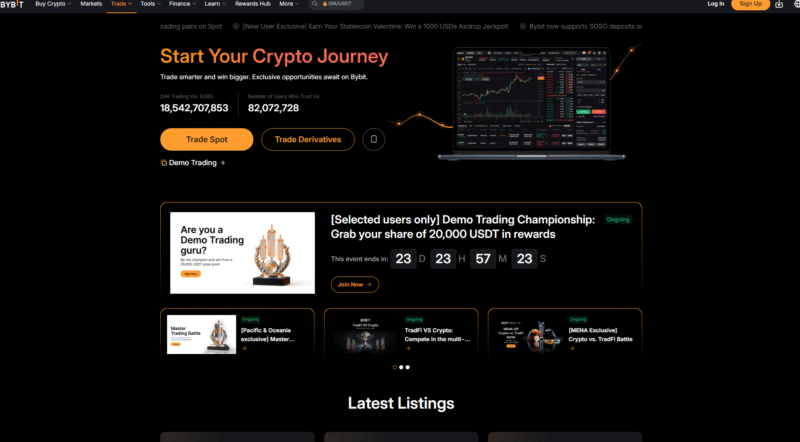
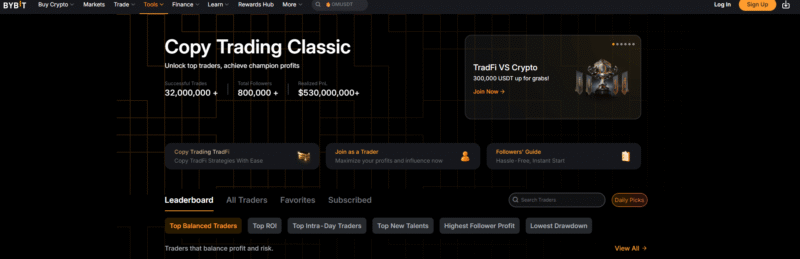
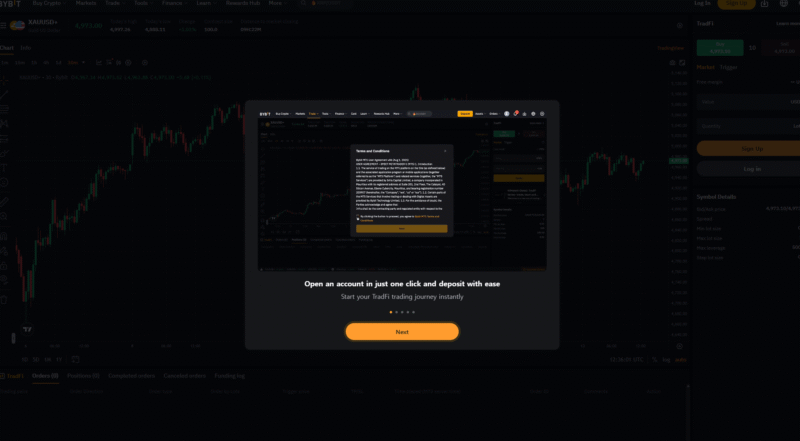
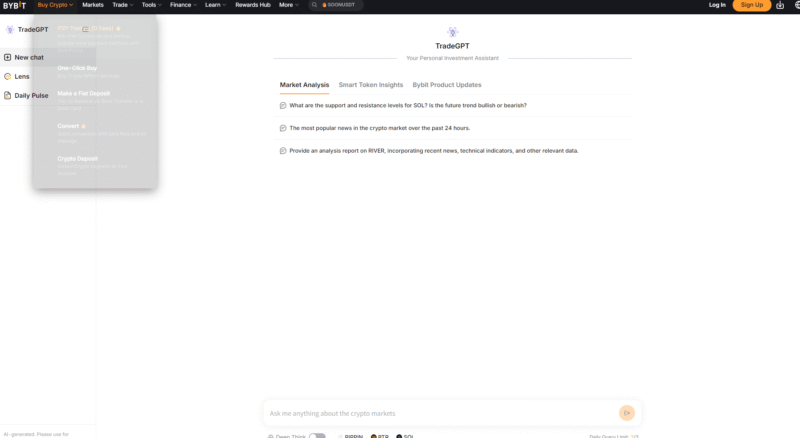


6. Futures Interface: Order Types & Margin Mechanics
The Bybit derivatives trading interface is not simply a screen with Buy and Sell buttons. The same market outlook can produce significantly different actual results depending on how you configure the order type, margin mode, leverage, stop loss, take profit, and position direction.
In futures trading, you need to check not only the order price but also execution method, Maker/Taker status, Mark Price, margin mode, and position size.
Order execution types
Bybit's basic order types can be broadly divided into Market Orders, Limit Orders, and Conditional Orders. Bybit also offers various advanced order features, including Post Only, Reduce Only, Close on Trigger, and TP/SL.
Limit Order
A Limit Order lets users enter their desired buy or sell price directly.
For example, if BTC is currently trading at 100,000 USDT and you place a buy order at 98,000 USDT, the order may be filled when the market price reaches that level.
The advantages of a Limit Order include:
- You can set your desired entry price directly
- Price control is easier than with a Market Order
- If the order remains on the order book and is filled as a Maker order, you may be charged a relatively lower Maker fee
- It can reduce the likelihood of entering immediately at an unfavorable price during sharp market movements
However, a Limit Order does not always execute as a Maker order.
If you submit a Limit Order at a price that can be matched immediately with an existing opposing order in the order book, it may be processed as a Taker order. Bybit's official order documentation also states that a Limit Order does not always execute as a Maker order.
Market Order
A Market Order attempts to execute immediately at the best price available in the current order book.
It is useful when you need to enter or exit quickly, but you cannot specify the exact execution price.
Because a Market Order takes liquidity from the existing order book, it is generally processed as a Taker order.
Its main advantages are:
- Fast execution
- The ability to enter or exit a position immediately during sharp market movements
.
On the other hand, it has the following disadvantages.
- Taker fees apply
- You cannot control the exact execution price
- Slippage may occur with large orders or in volatile markets
Slippage
Slippage is the difference between the expected price when an order is submitted and the actual average execution price.
For example, suppose BTC is quoted at 100,000 USDT and you place a large Market Buy order.
Suppose the order book contains sell orders at:
- 100,000 USDT
- 100,010 USDT
- 100,030 USDT
- 100,050 USDT
If these sell orders are listed in sequence, the order may consume multiple price levels at once, depending on its size, causing the average execution price to exceed 100,000 USDT.
This difference is slippage.
It can increase particularly in the following situations.
- Low-liquidity altcoins
- Large orders
- Major events such as CPI and FOMC meetings
- Sharp rallies and sell-offs
- Markets experiencing cascading liquidations
Therefore, for large orders, you should check not only the fees but also order book depth and estimated slippage.
Conditional Order
A conditional order is an order that is created when the price reaches a Trigger Price set by the user.
On Bybit, once the condition is met, you can choose to submit either:
- A market order
- A limit order
In some cases, you can use the Last Traded Price, Mark Price, or Index Price as the trigger reference.
Conditional orders are commonly used in the following situations:
- Breakout trading
- Stop entry
- Automated stop-loss
- Automated take-profit
- Entering a position after the price reaches a specific level
Post Only
Post Only ensures that an order remains a Maker order and is posted to the order book.
If an order could execute immediately against an existing order when submitted, it is automatically canceled.
Therefore, it is useful for traders who want to ensure their orders are Maker executions.
Reduce Only
Reduce Only is a feature that restricts an order to only reducing or closing an existing position.
For example, if you hold a 1 BTC long position and place a Reduce Only sell order, the order cannot create a new short position.
This is useful for managing partial take-profit or automated closing orders.
Close on Trigger
Close on Trigger is an order feature used to close an existing position when a specified price condition is met.
Although its purpose may seem similar to Reduce Only, the two work differently.
- Reduce Only: Restricts orders to reducing the position size
- Close on Trigger: Executes a position-closing order when a specific Trigger Price is reached
On Bybit, these features can be used to manage stop-loss and conditional closing orders.
Margin Modes: Isolated vs. Cross vs. Portfolio Margin
Bybit's Unified Trading Account (UTA) currently supports three margin modes: Isolated Margin, Cross Margin, and Portfolio Margin.
Rather than simply comparing Cross and Isolated, it is important to understand how risk is calculated under each mode.
Isolated Margin
With Isolated Margin, the margin allocated to a specific position is separated from other positions and account assets.
If the position's Mark Price reaches its liquidation price, liquidation proceeds based on the margin allocated to that position. Bybit explains that, under Isolated Margin, the maximum loss from liquidation is limited to the margin allocated to that position.
Advantages:
- Risk is separated by position
- Limits the impact of a poorly performing position on other positions
- Makes it easier to understand the maximum potential loss
Disadvantages:
- Does not automatically use all available account assets
- With a smaller margin buffer, the liquidation price may be closer than with Cross Margin
Therefore, Isolated Margin may be suitable for traders who want to clearly separate risk by position.
Cross Margin
With Cross Margin, assets enabled as collateral within the UTA and the P&L of other positions may affect margin calculations at the account level.
This can improve capital efficiency and provide a buffer by using other available assets when one position temporarily moves against you.
However, there is a trade-off.
If a derivatives position incurs a large loss, the value of other assets being used as collateral may also affect the account's overall risk calculation. Bybit likewise notes that while the UTA improves capital efficiency, losses on derivatives can affect collateralized spot assets.
Therefore, Cross Margin should not simply be viewed as a "safe mode that delays liquidation."
Portfolio Margin
Portfolio Margin is a more advanced method that calculates margin by assessing the risk of the portfolio as a whole, rather than considering each position in isolation.
It can offer greater capital efficiency for professional traders managing multiple derivatives and hedged positions, but its structure is much more complex.
Beginners should consider Portfolio Margin only after gaining a thorough understanding of how Cross and Isolated Margin work.
Points to Note About the UTA
The UTA lets you manage multiple products—including spot, spot margin, perpetual contracts, expiry contracts, and options—in one account using supported collateral assets. Assets eligible as collateral can be converted into a margin value denominated in USD and used for trading.
However, not all coins may be accepted as collateral at their full value.
Check each asset's Collateral Value Ratio and collateral settings.
In other words:
Having coins worth $10,000 in your wallet does not necessarily mean the full $10,000 will be recognized as margin at the same value.
Summary of Margin Mode Selection
| Category | Isolated | Cross | Portfolio Margin |
|---|---|---|---|
| Risk calculation | By position | At the account level | At the portfolio level |
| Loss propagation | Limited | May affect other collateral assets | Based on the entire portfolio |
| Structure | Relatively simple | Intermediate | Complex |
| Capital efficiency | May be relatively low | High | Relatively high |
| Primary use | Risk separation | Managing multiple positions | Professional hedging and complex strategies |
There is no single margin mode that is always the right choice for beginners.
However, whichever mode you choose, first understand your position size, liquidation price, maintenance margin, and the actual maximum amount you could lose.
7. Expanded FAQ: Regulatory Compliance & Operations
Q. Is a VPN required to use Bybit in South Korea?
As of August 2026, South Korea is not listed as an excluded jurisdiction in Bybit's published list of restricted countries. Therefore, users in South Korea do not need to use a VPN to disguise their location as being in another country for normal service access.
However, the countries where Bybit offers services and the availability of individual products may change depending on the regulatory environment.
In particular, users in restricted countries are not advised to use a VPN to misrepresent their location.
Bybit's restricted services policy states that if it determines a user has misrepresented their location or residence, it may take measures such as terminating the account and closing open positions.
Therefore, if you cannot access the service, rather than attempting to bypass country restrictions:
- Check Bybit's official list of restricted countries
- Check account announcements
- Contact Customer Support
- Check local regulations
This is the safest order in which to proceed.
Q. What is a Unified Trading Account (UTA)?
A Unified Trading Account (UTA) is Bybit’s account system, designed to let users manage multiple trading products—including spot, spot margin, perpetual futures, expiry futures, and options—within a single, unified account structure.
With Cross Margin or Portfolio Margin, supported collateral assets can be converted to their USD value and used as margin for multiple trading products.
For example, if a user holds both BTC and USDT and has enabled BTC as collateral, the collateral value of BTC may be included in the margin calculation for derivatives, subject to certain conditions.
However, it is important to note that:
Holding $10,000 worth of BTC does not mean that the full $10,000 will always be recognized as margin on a one-to-one basis.
Collateral Value Ratios and asset-specific collateral requirements may apply.
In addition, if losses on derivatives grow, collateralized spot assets may also be exposed to account risk, so carefully consider whether to pledge even assets intended for long-term holding as collateral.
Q. Will South Korean residents be taxed on income from cryptocurrency on Bybit in 2026?
As of 2026, South Korea has not yet implemented separate taxation on income generated from the transfer or lending of virtual assets.
According to guidance from the National Tax Service, the currently scheduled effective date is January 1, 2027, and income arising from that date onward is expected to be subject to separate taxation as other income. Under the current rules, the basic annual deduction is KRW 2.5 million, and the tax rate is 20%.
However, the law may be amended again before it takes effect, so check the latest legislation and National Tax Service guidance at the time of the transaction and filing.
Official National Tax Service information: https://www.nts.go.kr/nts/cm/cntnts/cntntsView.do?cntntsId=238935&mi=40370
8. Algorithmic Trading: Trading Bot & Copy Trading Mechanisms
Automated trading is useful for repeatedly executing a user’s buy and sell rules, but it is not a system that completely eliminates emotional mistakes or guarantees profits.
A well-designed strategy can be repeated automatically, but so can a poorly designed one.
Therefore, what matters most about a Trading Bot is not the fact that it is “automated,” but the market it is designed to operate in and the rules it follows.
Futures Grid Bot: Automated Trading for Sideways and Volatile Markets
Bybit offers a Futures Grid Bot for USDT Perpetual contracts. According to Bybit’s official description, the Futures Grid Bot automatically places long and short orders at set intervals within a specified price range, making it a suitable strategy for sideways markets with volatility.
Users typically configure the following:
- Trading pair
- Price range
- Number of grids
- Investment amount
- Leverage
- Directional settings
- Supported options such as TP/SL
How a Grid Bot Works
For example, suppose you expect the price of BTC to fluctuate repeatedly within the range of 90,000–100,000 USDT.
The Grid Bot divides that range into multiple price intervals and can be set up to:
- Buy at lower grid levels
- Sell at higher grid levels
and repeat these actions.
If the price continues to rise and fall within a set range, the goal is to realize profits from multiple small price differences.
Risks of Futures Grid
Unlike Spot Grid, Futures Grid Bots carry leverage and liquidation risks.
You may also pay or receive a Funding Fee at each funding interval for the USDT Perpetual contract you trade. Bybit’s official FAQ also states that regular USDT Perpetual trading fees and Funding Fees apply to Futures Grid.
Risk may therefore increase in the following situations:
- The price breaks decisively out of the grid range
- A one-way trend continues for an extended period
- High leverage
- A sharp rise in the Funding Rate
- A sudden increase in volatility
A Grid Bot is not “a system that automatically makes money even when prices fall.”
Differences Between Spot Grid and Futures Grid
| Item | Spot Grid | Futures Grid |
|---|---|---|
| Market | Spot | USDT Perpetual |
| Leverage | Generally not available | Available |
| Liquidation | No | Possible |
| Funding Fee | No | May apply |
| Short strategy | Limited | Available |
| Risk level | Relatively straightforward | Higher |
Bybit also offers Spot Grid, which is designed to automatically repeat buy orders at lower prices and sell orders at higher prices within a set price range.
Copy Trading
Bybit Copy Trading is a portfolio management feature that allows users to automatically copy a Master Trader’s trades according to specified conditions.
Bybit currently uses a Master Trader and Follower structure for Copy Trading, and explicitly warns that past performance does not guarantee future returns.
How to Choose a Master Trader
Choosing the person with the highest ROI alone can be risky.
For example, suppose there are two Master Traders.
Trader A
- 90-day ROI: +200%
- Maximum drawdown: -65%
- Very high leverage
Trader B
- 90-day ROI: +40%
- Maximum drawdown: -10%
- Relatively consistent position sizing
Based on ROI alone, A looks overwhelmingly better.
However, from a risk-adjusted perspective, B may have a more stable strategy.
Bybit provides various performance metrics, including 90-Day ROI, on Master Trader performance pages.
When evaluating a Master Trader, it is best to consider the following together:
- Operating period
- 90-Day ROI
- Maximum drawdown (MDD)
- Win rate
- Average profit and loss
- Position holding period
- Leverage
- Current unrealized profit and loss
- Trading frequency
- Follower returns
- Strategy consistency
Structural Risks of Copy Trading
The actual results for a Master Trader and a Follower may not be exactly the same.
This is due to factors such as:
- Differences in execution timing
- Slippage
- Differences in investment amounts
- Maximum position settings
- The Follower’s existing positions
- Copy Settings
- Market Liquidity
In other words, just because a Master Trader records +10% does not mean every Follower will record exactly +10%.
SyncMaster
Bybit Copy Trading Classic also offers the SyncMaster feature.
When a Master Trader uses Forced Sync, some of the Follower's USDT Perpetual trading settings may be synchronized with the Master Trader's settings. Conversely, if Forced Sync is not used, the Follower can configure some Copy Trading parameters directly.
Therefore, before starting Copy Trading, you should check which settings will be synchronized with the Master Trader.
Core Principles of Automated Trading
When using a Trading Bot or Copy Trading, it is advisable to follow these principles.
- Do not commit all your assets to a single bot
- Set a maximum loss limit
- Avoid high leverage
- Check returns including trading fees
- Check profit and loss including Funding Fees
- Review your strategy when market conditions change
- Do not leave a bot unattended just because it is running
The purpose of automated trading is not to eliminate judgment, but to automate execution.
9. Advanced Strategy: Delta-Neutral Funding Rate Arbitrage
A Delta-Neutral strategy is a hedging strategy that seeks other sources of returns while reducing directional exposure to an asset's price.
In the cryptocurrency market, a strategy that combines a spot purchase + a short position in perpetual futures may be used to offset price exposure and seek to collect Funding Fees.
However, this should not be described as “risk-free returns.”
Basic Mechanism
Because perpetual futures have no expiration date, a Funding Rate mechanism is used to prevent the futures price from deviating too far from the spot price.
On Bybit, when the Funding Rate is positive, holders of long positions pay Funding Fees to holders of short positions; when it is negative, shorts pay longs.
Funding intervals are not fixed at 8 hours
According to Bybit's official guidance, the Funding Interval may vary by trading pair.
For example, contracts with an 8-hour interval are settled at 00:00, 08:00, and 16:00 UTC, but contracts with other intervals may also exist.
In addition, under certain conditions, such as when the Funding Rate reaches its set upper or lower limit, the settlement interval may be adjusted to one hour.
Therefore, always check the following for the relevant instrument:
- Funding Rate
- Funding Interval
- Next Funding Time
in the live trading interface.
Example of How to Execute
Assume that BTC is priced at 100,000 USDT.
Step 1: Buy BTC on the Spot Market
On the spot market:
BTC worth 10,000 USDT
That is, approximately:
0.1 BTC
is purchased.
Step 2: Open a Futures Short of the Same Size
Open a short position worth approximately 10,000 USDT in BTCUSDT perpetual futures.
Theoretically:
- Long exposure of +10,000 USDT in spot
- Short exposure of -10,000 USDT in futures
This can significantly reduce directional delta.
Step 3: Offset Price Movements
Simplifying the example, if BTC rises by 10%:
Spot:
+1,000 USDT
Futures short:
Approximately -1,000 USDT
is the result.
Conversely, if BTC falls by 10%:
Spot:
-1,000 USDT
Futures short:
Approximately +1,000 USDT
is the result.
Therefore, in theory, directional price exposure is largely offset.
However, Net Asset Value Is Not Precisely Fixed
Actual results are affected by the following variables:
- Difference between spot and futures execution prices
- Changes in basis
- Maker/Taker fees
- Slippage
- Changes in Funding Rate
- Position size discrepancies
- Changes in collateral value
- Liquidation risk
- Exchange risk
Therefore, “Delta-Neutral” is a strategy that reduces directional price exposure, not one that eliminates all risks.
Funding Fee Returns
If you hold a short position at a settlement time when the Funding Rate is positive, you may receive a Funding Fee.
Bybit's basic calculation is:
Funding Fee Calculation: Funding Fee = Position Value × Funding Rate
.
For example:
Position value = 10,000 USDT
Example Funding Rate: Funding Rate = +0.01%
Then:
Funding Fee calculation example: 10,000 × 0.0001 = 1 USDT
may be received.
Beware of Annualized Funding Rates
An annualized value of 20% calculated from the Funding Rate shown on screen does not mean that a 20% return is guaranteed over the next year.
The Funding Rate changes continuously according to market supply and demand.
A Funding Rate that was +0.03% today may:
- +0.01%
- 0%
- -0.02%
change rapidly, for example.
Therefore, do not treat a figure calculated by simply annualizing a past Funding Rate as a guaranteed return.
Key Risks of This Strategy
Funding Rate Reversal
If a positive Funding Rate turns negative, the short position may have to pay a Funding Fee instead.
Trading Costs
Both spot and futures trades incur fees when opening and closing positions.
Basis Risk
The price difference between spot and futures may widen or narrow.
Liquidation Risk
If excessive leverage is used for the futures short, the futures position itself may be liquidated even if there is a spot hedge.
Exchange Risk
If both spot and futures assets are held on the same centralized exchange, they are exposed to the exchange's operational, security, and withdrawal risks.
Key Takeaways on Delta-Neutral Strategies
Delta-Neutral Funding Arbitrage is a strategy that reduces directional trading and seeks a separate source of returns in the form of the Funding Rate.
However:
Delta-Neutral ≠ Risk-Free
Actual net returns must be evaluated after deducting trading costs and all other risks from Funding Fees.
10. Transparency: Proof of Reserves & Security Architecture
Since the FTX collapse, one important factor when evaluating a centralized exchange is whether you can verify that it actually holds reserves corresponding to customer assets.
Bybit operates a Proof of Reserves (PoR) system and provides a feature that lets users directly verify whether their balances are included in the PoR data.
What Is Proof of Reserves (PoR)?
Proof of Reserves is a method for verifying whether a centralized exchange holds reserves that can cover the assets it owes to customers.
Bybit allows users to verify balance data using a Merkle Tree structure.
Users can check whether their account balances are included in a specific PoR snapshot. Bybit provides both its own platform verification method and a self-validation method using open-source code.
What Is a Merkle Tree?
A Merkle Tree organizes large amounts of data into a hierarchy of hash values, allowing specific data to be efficiently verified as part of the overall dataset.
In PoR, it can be used to verify that a user is included in the overall verification data without directly disclosing each user's balance information.
Checking Bybit's Reserve Wallets
Bybit lets users view the wallet addresses and asset snapshots published on its PoR page, and also explains an on-chain method for verifying ownership of the disclosed wallets.
In other words, rather than simply claiming:
"We hold this address,"
it provides a framework that lets external parties verify the assets held at the disclosed addresses and whether Bybit controls those addresses.
What 1:1 Reserves Actually Mean
More precisely, Bybit's published PoR should be understood as verifying whether it holds sufficient reserves to cover customer liabilities for the assets included in the audit.
For example, Bybit announced that an external verification report published in February 2025 confirmed reserves covering customer assets at a ratio of at least 1:1 for the assets included in the audit scope at that time.
PoR ratios can vary over time and by asset, so you should check the latest snapshot.
PoR Does Not Prove the Absence of All Risks
Proof of Reserves is an important transparency tool, but it does not provide a complete picture of an exchange's financial condition.
PoR alone does not automatically prove all of the following:
- All liabilities of the entire company
- Corporate borrowings
- Operating expenses
- Future payment obligations
- All off-balance-sheet contracts
- Legal and regulatory risks
- Operational risks
Therefore, PoR is one important source of information when evaluating an exchange, but it should not be understood as equivalent to a complete financial statement audit.
Cold Wallet Storage
Bybit states that it uses cold wallets, multilayer security, and key management technology to safeguard user assets.
However, it is difficult to verify the exact proportion of assets held in cold wallets at all times based solely on publicly available information. Rather than focusing on a single percentage, it is appropriate to review the latest Proof of Reserves, publicly disclosed wallet information, and account protection features together.
Multi-Signature and TSS
Multi-signature is a method that requires multiple authorizing parties or keys to execute a transfer of specific assets.
TSS (Threshold Signature Scheme) authorizes transactions by distributing signing authority among multiple participants, rather than keeping one complete private key in a single location.
These structures are used to reduce the risk of a single point of failure in which one key or one administrator is compromised.
Do Not Evaluate Exchange Security Based on PoR Alone
When evaluating a centralized exchange, it is advisable to consider the following together:
- Proof of Reserves
- Security incident history
- Withdrawal system
- Account protection features
- 2FA
- Passkey
- Anti-phishing code
- Withdrawal address protection
- API security
- Regulatory and corporate structure
- Incident response capability
How to Check Proof of Reserves Directly
Users can check whether their balances were included in a snapshot on Bybit's Proof of Reserves page.
More technically proficient users can also verify the data directly using the Merkle Tree verification code published by Bybit.
This self-verification is significant because it goes beyond simply taking the exchange's explanations on trust and lets users directly check whether their own data is included.
11. Risk Management: Position Sizing & Psychological Discipline
The most important skill in futures trading is not predicting every market direction correctly.
It is the ability to control how much you lose when you are wrong.
Even a strategy with a high win rate can lose most of an account through one excessively large position, while a strategy with a win rate below 50% can potentially be profitable over the long term if its risk-reward ratio and position sizing are appropriate.
The 1% Rule
One of the best-known risk management methods is the 1% Rule.
It means:
Set your position size so that you do not lose more than about 1% of your total account assets if a single trade fails
.
A common misunderstanding is to think this means:
"Buy with only 1% of the account"
.
That is not what it means.
Example
Account assets:
10,000 USDT
Risk per trade:
1%
Then the maximum acceptable loss is:
100 USDT
.
If the BTC entry price is 100,000 USDT and the stop-loss price is 98,000 USDT, the stop-loss distance is approximately:
2%
.
In this case, a simple calculation gives an allowable position value of:
Example position size calculation: 100 ÷ 0.02 = 5,000 USDT
.
Therefore, even with a 5,000 USDT position in a 10,000 USDT account, a 2% stop-loss distance means you can target a price loss of approximately 100 USDT if the stop is triggered.
In actual trading, you also need to account for fees and slippage.
Basic Position Sizing Formula
If you calculate the stop-loss distance as a percentage:
Position notional value = acceptable loss amount ÷ stop-loss distance
Example:
Acceptable loss = 200 USDT
Stop-loss distance = 4%
200 ÷ 0.04
= 5,000 USDT
.
Why You Should Decide on Leverage Later
The correct order for position sizing is:
- Check account size
- Determine the risk amount per trade
- Set the entry price
- Set the stop-loss price
- Calculate the required position size
- Decide on the leverage to use for that position
.
Conversely:
“Use 20x leverage, go all in, and then think about where to place your stop-loss”
is not risk management.
1% Is Not the Absolute Right Answer
The 1% Rule is an easy-to-understand example of risk management, not an absolute rule that applies to every trader.
Depending on the strategy’s:
- Win rate
- Risk-reward ratio
- Maximum consecutive losses
- Trading frequency
- Asset volatility
- Overall account size
the appropriate risk percentage may vary.
The key is to set a maximum loss before entering a trade.
Kelly Criterion
The Kelly Criterion is a method for calculating the theoretical betting fraction that maximizes long-term capital growth based on a strategy’s win rate and risk-reward ratio.
A common simplified formula is:
f = p – q / b*
.
Where:
- p = probability of winning
- q = probability of losing
- b = average profit / average loss ratio
.
However, using Full Kelly as is in actual trading can result in very large position sizes and substantial account volatility.
Therefore, in practice, traders may use a lower fraction than the calculated value, such as Half Kelly or Quarter Kelly.
For beginners, it is important to first learn simple position sizing using a fixed risk percentage rather than starting with complex Kelly calculations.
The Mathematics of Consecutive Losses
If you assume a loss of 1% of your total account per trade, even 20 consecutive losses will not immediately reduce your account to zero.
If you continue risking 1% based on the assets remaining after each loss, your assets will decline through compounding.
By contrast, risking 20–30% of your account on a single trade can make recovery extremely difficult after just a few consecutive losses.
The Asymmetry Between Drawdown and Recovery
The percentage loss and the return needed to recover your principal are not symmetrical.
| Account loss | Return needed to recover the principal |
|---|---|
| -10% | +11.1% |
| -20% | +25% |
| -30% | +42.9% |
| -50% | +100% |
| -70% | +233.3% |
| -90% | +900% |
Therefore, preventing a large drawdown is just as important as making large profits.
Revenge Trading
One of the most dangerous moments for a trader is immediately after a large loss.
The urge to recover losses quickly can lead to:
- Increasing leverage
- Increasing position size
- Ignoring stop-losses
- Re-entering without a plan
- Chasing the market in the opposite direction
- Excessive trading frequency
These behaviors may occur.
This behavior is known as Revenge Trading.
Daily Loss Limit
One way to prevent this is to set a maximum daily loss limit in advance.
For example:
- Reach -2% for the day → Stop opening new trades
- Three consecutive stop-losses → Stop trading
- One unplanned trade → End trading for the day
You can create your own Hard Stop Rule, such as these.
What matters is not whether the number is exactly 5% or 2%, but not changing your rules emotionally right after a loss.
The Essentials of a Good Trading System
A good system should be able to answer all of the following questions.
Entry
Why enter now?
Stop-loss
What condition would mean the trade thesis is wrong?
Take-profit
Where will you lock in profits?
Position size
How much will you lose if you are wrong?
Stopping trading
When will you stop trading for the day?
If you make even one of these decisions on the fly after entering a trade, your strategy will become less consistent.
12. Conclusion
Bybit is a global digital asset trading platform that offers a wide range of features beyond simple cryptocurrency buying and selling, including spot trading, perpetual futures, expiry futures, options, Unified Trading Account, Trading Bot, Copy Trading, and API.
However, having a large number of features does not guarantee profits.
Actual trading performance depends more on how accurately users manage their orders and risk than on the platform itself.
If you are new to Bybit, it is best to proceed in the following order.
- Configure account security
- Complete KYC
- Understand the deposit and withdrawal process
- Understand spot orders
- Understand Maker and Taker fees
- Understand Limit, Market, and Conditional Orders
- Understand Isolated and Cross Margin
- Test futures trading with a small amount
- Set TP/SL
- Apply position sizing
- Calculate Funding Fees
- Analyze trading records
Especially in leveraged trading, survival comes before high returns.
Leverage is a powerful tool that lets you control a large position with a small amount of margin, but it can also increase:
- Liquidation risk
- Fee burden
- Funding Fee burden
- Account volatility
Therefore, it can magnify these factors.
Therefore, risk should be managed based on the actual position’s notional value and the estimated loss if stopped out, rather than the leverage ratio itself.
The same applies to automated trading.
Grid Bot or Copy Trading can execute repetitive trades on your behalf, but they do not eliminate the risk of loss.
Delta-neutral strategies can also reduce exposure to price direction, but they still carry risks from Funding Rate changes, basis risk, fees, slippage, forced liquidation, and the exchange itself.
Proof of Reserves is also an important transparency measure for verifying a centralized exchange’s reserve assets, but it is not the same as a financial statement that fully explains all of the exchange’s liabilities and operational risks.
Ultimately, the key to using Bybit effectively can be summed up in the following four points.
First, understand trading costs.
You should calculate actual costs, including Maker/Taker fees, Funding Fees, and slippage.
Second, stop out before liquidation.
Forced liquidation is not a risk management tool; it is more like a last-resort system that kicks in when risk management has failed.
Third, control position size.
In the long run, deciding how much you will lose if you are wrong is more important than predicting the market’s direction.
Fourth, protect your account and assets.
Be sure to apply basic security measures such as 2FA, Passkey, Anti-Phishing Code, API least privilege, and withdrawal address verification.
The cryptocurrency market operates 24 hours a day, and Bybit's fees, supported products, Funding Interval, regulatory policies, and features may also change continuously.
Therefore, use this guide as a reference for understanding trading structures, but check Bybit's latest official screens and announcements before placing orders, making deposits or withdrawals, or signing up for products.
[Additional Guide] 2026 Bybit AI Infrastructure and Practical TradFi Usage Protocol
This section outlines the technical implementation procedures and detailed mechanisms for making the most comprehensive use, as of 2026, of Bybit's distinctive system infrastructure discussed above.
1. Technical Setup Procedure for an Isolated AI Subaccount
An AI Subaccount separates AI trading activity from the assets held in the main account, while the main account controls asset limits and transfer and leverage permissions. Isolation does not guarantee protection against erroneous orders or trading losses.
- Step 1: Create an account and configure the isolated environment
In the Bybit app, go to [Profile] in the upper-left corner -> [Subaccount] -> [Create Subaccount], select 'AI Subaccount' as the account type, and create the account. - Step 2: Check the official OAuth connection procedure
Provide the setup instructions shown on the Subaccount screen to a supported AI tool, then verify the connection target and permissions on the official browser authentication screen. The official guide dated July 3, 2026, describes OAuth connections for Claude Code, OpenClaw, Cursor, and other tools. Do not assume that arbitrary public key exchanges are supported or that all AI services are compatible. - Step 3: Set asset limits and transfer and leverage permissions
In the main account's Subaccount permissions screen, check the asset limit, whether transfers are allowed, and the maximum leverage. The official guide describes a default $5,000 asset limit and withdrawals disabled by default, but users can change these settings. Do not treat the expiration terms for a standard API key as equivalent to AI Subaccount OAuth authentication, or assume that all keys are automatically rotated every 30 days. Use the official AI Subaccount setup guide to verify the connection, permissions, and actual order results, and do not disclose authentication tokens or secret keys.
2. Tips for Managing Bybit TradFi Stock CFDs and SpaceX Positions
Bybit provides a next-generation real-world asset (RWA) portal that lets users access Nasdaq and global macro assets using crypto collateral.
- Distinguish CFD costs from promotions: A no-fee label does not mean that trading is cost-free. Check spreads, separate commissions, and holding swap costs, as well as the applicable mode, instrument, and period. The official specifications for new stock CFDs dated September 10, 2026, state a commission of 0.02 USDT per share (minimum 0.2 USDT per order) and a three-day swap charge on Fridays. This does not mean that all CFDs are free of trading fees, swaps, and spreads. Check the current terms for the instrument you intend to trade in the official cost specifications for new CFDs.
- SpaceX (SPCX) products are different: SpaceX began trading on Nasdaq on June 12, 2026. Bybit's SPCXUSDT perpetual contract, SPCX stock CFD, and SPCXX spot token are different products with different account structures, rights, and costs. The official SPCXUSDT guide dated June 22, 2026, specifies leverage of up to 10x, but check the limits and funding terms on the current contract screen before placing an order. TradFi perpetual contracts use the Unified Trading Account (UTA), while CFDs are traded in a separate MT5 CFD account. Check leverage, trading hours, and swap costs separately for each CFD instrument; holding a spot token does not confer direct shareholder status or voting rights.
Comparing Bybit SpaceX Products: Perpetual Contracts, CFDs, and Spot Tokens
Instead of unsubstantiated star ratings or algorithm citation scores, this comparison covers product terms users should check themselves. All three products involve price fluctuations, liquidity, and counterparty risks, and are not equivalent to directly holding spot shares.
| Product | Account Structure | Rights and Form of Holding | Costs to Check | Leverage and Trading Hours |
|---|---|---|---|---|
| SPCXUSDT Perpetual Contract | Unified Trading Account (UTA) | Derivative exposure to price movements; no shareholder rights | Trading fees, spread, and funding | Official guide states up to 10x. Check the current contract screen for actual limits and funding interval. |
| SPCX Stock CFD | MT5 CFD account, separate from UTA | Contract settled by the price difference; does not involve holding physical shares or tokens | Instrument-specific costs such as spreads and swaps | Check leverage and market trading hours for each instrument |
| SPCXX Spot Token | Spot trading and holding structure | You hold a token but do not have direct shareholder status or voting rights | Spot trading fees, spread, and withdrawal terms | Distinguish holding spot assets from leveraged derivatives |
Official sources checked: September 28, 2026. SpaceX listing announcement, official SPCXUSDT guide, official SPCX CFD guide, TradFi account structure. Product specifications and regional availability may change, so prioritize the order screen when placing a trade.
💡 Check before using: An AI Subaccount is a management tool for limiting permissions and asset exposure; it does not guarantee long-term returns or asset security. Review the Unified Trading Account (UTA) and any referral code through which actual benefits can be verified on the sign-up screen (
COINPOP) and check the terms and risks of AI Subaccounts and TradFi products separately. Using multiple features together does not eliminate the risk of loss or volatility.
[Appendix] 2026 Bybit Professional Trading Essential Terms Guide (Glossary)
A glossary of essential technical terms that everyone from beginners to high-frequency system traders should know to fully understand the Bybit platform and the 2026 crypto and TradFi financial ecosystem.
1. Platform and Infrastructure Terms
- Unified Trading Account (UTA): Bybit's next-generation account architecture. It combines various assets held in the account, such as USDT, USDC, BTC, and ETH, into a single unified margin pool that can be used simultaneously as collateral for spot, perpetual futures, and options trading. It maximizes asset efficiency and makes cross-margin management more convenient.
- AI Subaccount: An account type launched in 2026 for algorithmic trading. It provides an environment isolated from main account assets, with an asset cap and withdrawal restrictions designed to enable external AI agents or automated bots to trade only through the API, without human intervention.
2. Derivatives and Risk Management Terms
- Notional Value: The total financial value of a leveraged position. For example, a position opened with $1,000 in margin and 10x leverage has a notional value of $10,000. All trading fees and funding fees are calculated based on this notional value, not the initial margin.
- Taker Fee & Maker Fee: A fee charged on an order that executes immediately by removing liquidity from the order book (a market order) is a taker fee. Conversely, a fee charged on an order placed on the order book to provide liquidity (a limit order) is a maker fee. The COINPOP sign-up screen checked on August 16, 2026, states that a 20% discount on these rates applies for 90 days. Check the actual rates applied after signing up under My Fee Rate.
- Delta-Neutral: A hedging strategy that combines spot and derivatives exposure to reduce sensitivity to price direction. It does not eliminate price fluctuation risk entirely; funding rate changes, basis, fees, slippage, liquidation, and exchange risks remain.
3. TradFi and Emerging Financial Convergence Terms
- Stock CFD (Contract for Difference): A derivative that settles the difference between entry and exit prices without owning the actual stock or token. Bybit's MT5 CFD account is separate from the UTA. Check the current product specifications for eligible instruments and regional terms, leverage, market hours, spreads, and swap costs for holding positions. It does not guarantee spot shareholder rights or risk-free hedging.
- Travel Rule: An explanation of the South Korean requirements under which exchanges must share the identity information of senders and recipients when virtual assets worth 1 million won or more are transferred for anti-money laundering purposes. Thresholds and implementation methods vary by country. Whether deposits and withdrawals are available between Bybit and domestic VASPs (Upbit, Bithumb, Coinone) depends on each exchange's latest supported lists, verification of the account holder's identity, the coin and network, and any additional screening requirements. Travel Rule integration does not guarantee safe transfers or automatic processing.
13. Complete Bybit Glossary
This section defines essential terms you should understand before trading derivatives on Bybit. In leveraged trading, understanding the terminology accurately can help reduce mistakes and manage risk effectively.
Price-Related Terms
Mark Price
Mark Price is the reference price Bybit uses to determine whether a position should be liquidated. It is calculated using a fair price that reflects spot prices across multiple global exchanges and the funding rate, rather than the Last Traded Price. This helps prevent unnecessary liquidations caused by sudden, short-term price spikes or drops.
Index Price
The Index Price is the average price across multiple global spot exchanges. It is calculated by aggregating price data from multiple exchanges to filter out anomalous prices on any particular exchange, and serves as the basis for calculating the Mark Price.
Last Traded Price
The Last Traded Price is the price at which the most recent trade was actually executed. It is the price most commonly displayed on charts, but Bybit liquidations are generally calculated based on the Mark Price.
Trigger Price
The reference price that activates a conditional order or TP/SL order. Once the Trigger Price is reached, a limit or market order is automatically placed.
Funding-Related Terms
Funding Rate
The Funding Rate is a fee designed to reduce the gap between perpetual contract prices and spot prices. When the Funding Rate is positive, long position holders pay short position holders; when it is negative, short position holders pay long position holders.
Funding Interval
The interval at which Funding Fees are paid. Funding fees for most perpetual contracts are settled every eight hours.
Margin-Related Terms
Initial Margin
The initial margin required to open a position. The higher the leverage, the lower the Initial Margin required, but the greater the risk.
Maintenance Margin
The minimum margin required to maintain a position. If the account's margin falls to or below the Maintenance Margin, the liquidation process may begin.
Risk Limit
The maximum risk limit applied according to position size. The larger the position, the higher the Maintenance Margin required.
Market Data-Related Terms
Open Interest
The total quantity of futures contracts that are currently open and have not been settled. An increase in Open Interest may indicate an influx of new funds, while a decrease may indicate that existing positions are being closed.
Volume
The total amount traded over a given period. Higher trading volume generally indicates greater market liquidity.
Order-Related Terms
Maker
An order that adds liquidity to the order book. Limit Orders are generally Maker orders and often incur lower fees than Taker orders.
Taker
An order that removes liquidity from the order book. Market Orders are generally Taker orders and are executed immediately.
Limit Order
An order type in which the user specifies the desired price.
Market Order
An order type that is executed immediately at the most favorable price currently available in the market.
Conditional Order
An order that is activated only when the conditions set by the user are met.
Reduce Only
An option that can only be used to reduce or close an existing position. It prevents the creation of a new position in the opposite direction.
Close On Trigger
A feature that closes only an existing position when the conditions are met, without creating a new position.
Post Only
A feature that ensures an order is placed only as a Maker order. If it could be executed immediately, the order is canceled automatically.
Good Till Cancel (GTC)
An order type that remains active until the user cancels it.
Immediate Or Cancel (IOC)
An order type that executes only the quantity available for immediate execution and automatically cancels the remainder.
Fill Or Kill (FOK)
An order type that cancels the entire order if it cannot be executed in full immediately.
One Cancels the Other (OCO)
An order type that places two orders simultaneously and automatically cancels one if the other is executed.
Position-Related Terms
One-way Mode
A position mode in which you can hold a position in only one direction, either long or short.
Hedge Mode
A position mode in which you can hold long and short positions simultaneously.
Cross Margin
A margin mode in which all account assets are shared as margin across all positions.
Isolated Margin
A margin mode in which margin is managed separately for each position.
Auto Add Margin
A feature that automatically adds margin when liquidation risk increases.
PnL-Related Terms
Unrealized PnL
The mark-to-market profit or loss on a position that is currently open.
Realized PnL
The actual profit or loss confirmed after a position is closed.
Liquidation-Related Terms
Liquidation Price
The price at which a position is expected to be liquidated.
Bankruptcy Price
The price at which the exchange begins to absorb losses. Users are generally liquidated before the Bankruptcy Price is reached.
Auto Deleveraging (ADL)
A system that automatically reduces opposing positions in extreme situations where losses cannot be covered even by the Insurance Fund.
Insurance Fund
An exchange reserve fund used to cover losses incurred during the liquidation process.
Other Key Terms
Unified Trading Account (UTA)
Bybit's integrated trading account system, which lets users manage spot, futures, options, Earn, and other products in a single account.
Slippage
The difference between the order price and the actual execution price.
Take Profit / Stop Loss (TP/SL)
A feature for setting automatic take-profit and stop-loss orders.
Partial TP / SL
A feature that takes profit or stops losses on only part of a position.
Trailing Stop
An automatic trailing stop feature that adjusts the stop-loss price when the market moves in a favorable direction.
14. Complete Guide to Bybit Order Types
Bybit offers not only basic Limit and Market orders, but also a range of order options for professional traders. Understanding these order features can help reduce slippage, save on trading costs, and prevent unexpected mistakes. This is especially important in leveraged trading, where even a change in order type can significantly affect execution prices and profit or loss.
Types of Orders on Bybit
The most commonly used order types on Bybit are Limit Orders, Market Orders, Conditional Orders, and Trigger Orders. You can also combine these with options such as Reduce Only, Post Only, and TP/SL to implement a range of strategies.
Limit Order
What Is a Limit Order?
A Limit Order lets users place an order at a price they specify. The order is executed only when the market price reaches the specified price.
For example, if Bitcoin is currently trading at 120,000 USDT, placing a buy order at 118,000 USDT means the order will be executed only if the price falls to that level.
Advantages
- Enter at your desired price
- Lower likelihood of slippage
- May qualify for Maker fees
- Suitable for planned trading
Disadvantages
- The order may not be executed if the price does not reach the specified level
- You may miss an entry opportunity during rapid price movements
Market Order
What Is a Market Order?
A Market Order is executed immediately at the most favorable price currently available in the market.
It is most commonly used when you need to enter or close a position quickly.
Advantages
- Immediate execution
- Respond quickly even during sharp price surges or drops
- Almost no chance of the order remaining unfilled
Disadvantages
- Potential for slippage
- Taker fees apply
- In volatile markets, orders may be filled at a less favorable price than expected
Conditional Order
What is a Conditional Order?
A Conditional Order is a pending order that is activated only when specific conditions are met.
For example, you can set an order to automatically buy Bitcoin if its price breaks above 125,000 USDT.
Use cases
- Breakout trading
- Automatic stop-loss
- Automatic take-profit
- Responding to news announcements
Trigger Order
What is a Trigger Order?
A Trigger Order automatically submits a limit or market order when the price reaches the Trigger Price set by the user.
It is easiest to think of it as a pending order feature.
Post Only
What is Post Only?
Post Only is an option that ensures an order is placed only as a Maker order.
If the order is likely to execute immediately, it is automatically canceled.
Why use it?
- Maker fees apply
- Reduce trading costs
- Frequently used by high-frequency traders
Reduce Only
What is Reduce Only?
Reduce Only is a feature that can be used only to reduce or close an existing position.
It prevents the creation of a new position in the opposite direction.
When should you use it?
For example, if you hold a long position and want to take profit on part of it, enabling Reduce Only will only reduce the existing position.
Close On Trigger
What is Close On Trigger?
This feature closes only an existing position when the price reaches the Trigger Price.
No new position is created.
It is commonly used for stop-loss and take-profit orders.
Time in Force
Remain active until canceled: Good Till Cancel (GTC)
The order remains active until the user cancels it manually.
This is the most commonly used order type.
Fill immediately or cancel the remainder: Immediate Or Cancel (IOC)
Only the quantity that can be filled immediately is executed, and the rest is automatically canceled.
Partial fills are possible.
Fill Or Kill (FOK)
If the entire order cannot be filled immediately, the entire order is canceled.
Partial fills are not allowed.
Commonly used by institutional investors and for large orders.
One order cancels the other: One Cancels the Other (OCO)
What is an OCO order?
Two orders are placed simultaneously, and when one is filled, the other is automatically canceled.
For example, you can place a take-profit order at your target price and a stop-loss order at the same time.
Setting TP / SL
Take Profit (TP)
This feature automatically closes a position when it reaches the target profit.
Stop Loss (SL)
This feature automatically closes a position when it reaches the set loss price.
It is recommended to always use these together when trading with leverage.
Partial take-profit and stop-loss: Partial TP / Partial SL
Partial take-profit and stop-loss
Bybit allows you to close only part of a position.
For example:
- Take profit on 30%
- Take profit on 30%
- Let the remaining 40% ride the trend
You can use a strategy such as this.
This feature is very useful for swing traders looking to capture long-term trends.
Trailing Stop
What is a Trailing Stop?
When the price moves in a favorable direction, the stop-loss price automatically moves along with it.
For example:
- Entry price: 100
- Example trailing distance: 5
If the price rises to 120, the stop-loss price also rises automatically to protect your profit.
Order execution priority
Bybit's order book processes orders in the following order:
- Price priority
- Time priority
At the same price, the order placed first is filled first.
How to reduce slippage
Slippage is the difference between the order price and the actual execution price.
We recommend the following methods to minimize slippage:
- Prioritize limit orders over market orders
- Trade during periods of high trading volume
- Avoid trading immediately before economic announcements
- Split large orders into multiple smaller orders
- Use the Post Only feature
- Avoid excessive leverage on low-liquidity altcoins
Recommended order settings for beginners
The following combination is safest for beginners:
- Entry: Limit Order
- Stop-loss: Stop Loss
- Take-profit: Take Profit
- Order option: Reduce Only
- Margin mode: Isolated Margin
This combination helps reduce unnecessary slippage and lowers the risk of accidentally opening an opposite position or incurring excessive losses.
Order feature summary
| Order type | Features | Recommended for |
|---|---|---|
| Limit Order | Filled at your desired price | Most users |
| Market Order | Immediate execution | Urgent entry or exit |
| Conditional Order | Order executes when conditions are met | Automated trading and breakout strategies |
| Trigger Order | Pending order | Trend-following |
| Post Only | Maker fees apply | High-frequency trading |
| Reduce Only | Reduces an existing position only | Take Profit / Stop Loss |
| GTC | Remains active until canceled | General users |
| IOC | Fill only the quantity immediately available | Short-term traders |
| FOK | Fill the entire order immediately or cancel it | Institutional and large-volume orders |
| OCO | Set take-profit and stop-loss simultaneously | Risk management |
| Trailing Stop | Protect profits | Trend trading |
A thorough understanding of Bybit's order features allows you to go beyond simply executing trades and optimize both trading costs and risk management. In leveraged trading in particular, the type of order you choose directly affects your final returns, so it is important to select an order type that suits your investment style.
15. In-Depth Analysis of Bybit's Liquidation System
The most important concept in leveraged trading is forced liquidation (Liquidation). Many beginners lose most of their account balance due to forced liquidation, rather than from losses alone. Understanding Bybit's liquidation system accurately can help reduce unnecessary liquidation risk and manage positions more reliably.
Forced liquidation is not simply the occurrence of a loss. It is a process in which the exchange forcibly closes a position on an investor's behalf when their Maintenance Margin falls short.
What Is Bybit Forced Liquidation?
Forced Liquidation
Forced liquidation is a system in which the exchange automatically closes a position when losses exceed a certain level and the Maintenance Margin requirement is no longer met.
When forced liquidation occurs, investors lose the opportunity to close their positions themselves, and may incur considerable losses in some cases.
Forced liquidation does not occur when the account balance reaches zero. It occurs when the balance falls below the Maintenance Margin.
The Relationship Between Mark Price and Liquidation
What Is Mark Price?
Bybit determines whether forced liquidation occurs based on the Mark Price, not the Last Price.
Mark Price is a Fair Price calculated using spot prices (Index Price) from multiple global exchanges and the Funding Rate.
It is used to prevent unnecessary liquidations caused by temporary price manipulation or abnormal spikes and drops.
In other words, even if the last traded price shown on the chart crosses the liquidation price, liquidation may not occur if the Mark Price remains above it.
Liquidation Price
What Is the Liquidation Price?
The Liquidation Price is the price at which the current position is expected to be forcibly closed.
Leverage
Position size
Margin
Maintenance Margin
It is calculated automatically based on these factors.
The higher the leverage, the closer the liquidation price is to the current price.
Conversely, adding margin or lowering leverage moves the liquidation price farther away.
Bankruptcy Price
What Is the Bankruptcy Price?
The Bankruptcy Price is the price at which the exchange begins to bear the actual loss.
Investors are generally liquidated before the Bankruptcy Price is reached, so they rarely experience it directly.
Maintenance Margin
The Role of Maintenance Margin
Maintenance Margin is the minimum margin required to maintain a position.
The larger the position size, the higher the Maintenance Margin requirement.
If the account's effective margin falls below this level, Bybit begins the forced liquidation process.
Difference from Initial Margin
Comparing Initial Margin and Maintenance Margin
Initial Margin is the initial margin required to open a position.
Maintenance Margin is the minimum margin required to keep a position open.
Many beginners confuse the two concepts, but they serve different purposes.
Risk Limit
What Is a Risk Limit?
A Risk Limit is a risk management system that applies according to position size.
The larger the position, the higher the required Maintenance Margin ratio.
This measure helps prevent large positions from increasing risk across the entire exchange.
Insurance Fund
What Is the Insurance Fund?
The Insurance Fund is a reserve managed by Bybit to cover losses incurred during forced liquidation.
When the Insurance Fund has sufficient funds, other investors holding positions in the opposite direction do not have to bear the losses.
The Insurance Fund is one of the key elements that enhances the stability of the exchange as a whole.
Auto Deleveraging (ADL)
What Is ADL?
ADL (Auto Deleveraging) is a system that activates in extreme situations when even the Insurance Fund cannot cover the losses.
In this case, the positions of some investors holding positions in the opposite direction may be automatically reduced or closed.
However, ADL is very rare in typical market conditions, and most losses are covered first by the Insurance Fund.
Partial Liquidation
What Is Partial Liquidation?
For some products, instead of liquidating the entire position immediately, a portion may be reduced to restore the Maintenance Margin.
Partial liquidation helps protect the account as a whole and reduces unnecessary full liquidation.
Full Liquidation
What Is Full Liquidation?
This is a method in which the entire position is forcibly closed.
Once liquidation is complete, the position is closed entirely, and any remaining balance is returned to the account.
Factors That Affect the Liquidation Price
Leverage
The higher the leverage, the closer the liquidation price is to the current price.
For example, with the same margin, 50x leverage will result in liquidation much sooner than 5x leverage.
Position Size
As the position size increases, the Maintenance Margin requirement also increases.
Large positions can be significantly affected even by small price movements.
Adding Margin
Adding margin to a position moves the liquidation price farther away from the current price.
This is one way to avoid liquidation during sharp volatility.
Funding Fee
Funding Fees accumulate when you hold a position for an extended period.
Funding Fees also affect your account balance, so be sure to check them when holding a position long-term.
How to Avoid Liquidation
Use Appropriate Leverage
For beginners, using relatively low leverage of around 3x to 10x is more effective for risk management than using high leverage.
Set a Stop Loss
It is important to use the TP/SL feature to limit losses before forced liquidation occurs.
A stop loss is the most effective way to close a trade at a much smaller loss than forced liquidation would cause.
Use Isolated Margin
Using Isolated Margin instead of Cross Margin means that only the margin allocated to the position is exposed to risk.
This helps protect your entire account balance.
Avoid Going All In
Investing most of your account assets in a single position greatly increases the risk of forced liquidation, even with small price movements.
As a general rule, it is recommended that you do not expose more than a certain percentage of your entire account to risk in a single trade.
Check Economic Events
Events such as FOMC announcements, CPI releases, interest rate decisions, and employment reports can significantly increase volatility.
During these periods, reducing leverage or position size may help.
Procedures After Liquidation
When liquidation occurs, Bybit automatically closes the position in the market.
Any remaining balance after liquidation is returned to the account, and losses are covered by the Insurance Fund, up to its available amount.
Investors should review their trade and liquidation histories to analyze the cause of liquidation and avoid repeating the same mistakes.
Summary of Bybit's Liquidation System
| Item | Description |
|---|---|
| Mark Price | Price used as the liquidation threshold |
| Liquidation Price | Estimated liquidation price |
| Bankruptcy Price | Price at which the exchange begins to absorb losses |
| Initial Margin | Initial margin |
| Maintenance Margin | Maintenance margin |
| Risk Limit | Risk limit based on position size |
| Insurance Fund | Fund that covers liquidation losses |
| ADL | Automatic reduction of opposing positions in extreme situations |
| Partial Liquidation | Liquidation of only part of a position |
| Full Liquidation | Liquidation of the entire position |
Bybit's liquidation system is designed to protect investors' assets while maintaining the stability of the exchange as a whole. The higher the leverage used, the more important it is to understand the liquidation mechanism. Choosing appropriate leverage, setting stop-loss orders, and managing margin are essential to stable trading over the long term.
16. Common Bybit Errors and How to Resolve Them
When using Bybit, errors may occur during various processes, including logging in, identity verification (KYC), deposits and withdrawals, API use, and security settings. Most errors result from simple configuration or input mistakes and can be resolved quickly once the cause is identified.
This chapter covers the issues Bybit users most commonly encounter and how to resolve them, as of 2026.
Sign-Up and Login Errors
Not Receiving the Email Verification Message
If you do not receive a verification email after signing up, check the following:
- Check your spam folder
- Check your promotions folder
- Check that you entered your email address correctly
- Check whether the sender is blocked
- Try resending the email after a few minutes
Verification emails are generally more likely to arrive successfully at personal email services such as Gmail or Outlook than at corporate email addresses.
Not Receiving an SMS Verification Code
If you do not receive a verification code on your phone, check the following:
- Whether you selected the correct country code
- Whether you entered your phone number correctly
- Whether your carrier blocks text messages
- Whether you have restrictions on receiving international text messages
- Try again after a short wait
Unable to Log In
If you cannot log in, check the following in order:
- Verify your email address or UID
- Check your password
- Check whether Caps Lock is on
- Check whether you are using a VPN
- Clear your browser cache
- Update the app to the latest version
After several failed login attempts, access may be temporarily restricted for security reasons.
KYC (Identity Verification) Errors
KYC Verification Failure
This is one of the most common issues.
The main causes include:
- Blurry ID photo
- Glare
- Part of the ID is cut off
- Using an expired ID
- Mismatch between the face in the selfie and the ID
- Insufficient lighting
It is best to take the photo in a well-lit place and use the original, unedited image.
Facial Recognition Failure
If selfie verification repeatedly fails:
- Remove your glasses
- Remove your hat
- Remove your mask
- Use bright lighting
- Clean the camera lens
Then try again.
Deposit Issues
Deposit Not Credited
If your deposit has not been credited, check the following:
- Check the number of blockchain confirmations
- Select the correct network
- Check the deposit address
- Check whether a memo (Tag) is required
In most cases, deposits are credited automatically once confirmations are complete.
Missing XRP Destination Tag
For Ripple (XRP), you must enter the Destination Tag as well as the address.
If you do not enter the Tag, the assets may not be credited to your account automatically, and you may need to contact customer support to recover them.
Always check the address and Tag together before making a deposit.
Depositing via the Wrong Network
For example,
using BEP20 instead of ERC20
or ERC20 instead of TRC20
may result in the deposit not being credited correctly.
Whether recovery is possible depends on the network and asset type, and recovery may not be possible at all. Always verify the network before sending.
Withdrawal Issues
Withdrawal Delays
Common causes of withdrawal delays include:
- Blockchain congestion
- Security review
- High-volume withdrawal periods
- System maintenance
- Address verification
In most cases, withdrawals are processed automatically after some time.
Withdrawal Rejected
Withdrawals may be restricted in the following cases:
- KYC not completed
- Immediately after changing security settings
- Login from a new device
- Suspicious activity detected
- Risk management system activated
It is normal for withdrawals to be restricted for a period of time for security reasons.
OTP and Security Errors
Google Authenticator Code Error
The most common cause is a time synchronization issue on the smartphone.
How to resolve it
- Set your smartphone's time automatically
- Synchronize the time in Google Authenticator
- Restart the app
If You Lose Your OTP
If you lose your phone or delete your OTP
- Use a backup code
- Verify your registered email
- Submit an identity document
- You can reset your OTP
through the identity verification process.
If the Anti-Phishing Code is displayed incorrectly
If the Anti-Phishing Code you registered does not appear or appears differently on the login screen or in an email, you should suspect a possible phishing attempt.
In this case, do not log in, and be sure to verify the official website address again.
API-related errors
API permission error: API Permission Error
This occurs when API permissions are insufficient.
Check the following:
- Read permission
- Trade permission
- Withdraw permission
- Whether the API has expired
For security, it is safest to enable only the permissions you need.
API Signature Error
This occurs when the API Secret and Signature do not match.
In most cases, the cause is
- an incorrect Secret
- a timestamp error
- or an incorrect signing method
.
IP whitelist error
If you have set an IP restriction for the API, you cannot use it from an unregistered IP address.
You need to register your current public IP address again.
Account restriction errors
Risk Control
If Bybit's risk management system detects unusual trading activity, some features may be temporarily restricted.
Common causes
- Unusual login activity
- Repeated orders within a short period
- Access from a new country
- A security risk is detected
Account Restricted
An account may be restricted for the following reasons:
- Violation of the Terms of Use
- Security review in progress
- KYC verification required
- Unusual trading activity detected
If necessary, complete additional verification as instructed by Customer Support.
Network errors
Network Busy
The network may become temporarily congested when market volatility is very high.
It may help to try again later or update the app to the latest version.
Server Busy
This may be caused by a temporary server overload.
Service is usually restored within a few minutes.
Order-related errors
When an order is not filled
There are various possible causes.
- Limit price not reached
- Insufficient liquidity
- Insufficient order quantity
- Price limit
Most issues can be resolved by understanding the difference between market and limit orders.
Reduce Only order failure
This may occur if you place an order for a quantity greater than your existing position or if there is no position to close.
It is best to check your current position size first.
When TP/SL does not trigger
Check the following:
- Trigger Price settings
- Order quantity
- Whether a position exists
- Whether the conditions have been met
When to contact Customer Support
In the following situations, it is best to contact Customer Support rather than try to resolve the issue yourself.
- Deposit sent over the wrong network
- Destination Tag omitted
- Suspected account compromise
- Repeated KYC failures
- Long withdrawal delays
- API malfunction
- Security incident
When contacting support, provide your UID, transaction time, TXID (transaction hash), screenshots, and other relevant information to help speed up the process.
How to prevent errors
You can prevent most errors by following these practices:
- Use only the official website or app
- Enable Google Authenticator
- Set an Anti-Phishing Code
- Use a withdrawal address whitelist
- Send a small test transfer before making a large transfer
- Check the address, network, and Destination Tag before depositing
- Keep the app and operating system up to date
- Grant only the API permissions you need
Summary of common errors
| Error | Main cause | Solution |
|---|---|---|
| Login failure | Incorrect password or email | Check and reset your login credentials |
| KYC failure | Poor photo quality or mismatched information | Retake the identity document photos and verify again |
| Deposit not credited | Insufficient confirmations or network error | Check the confirmations and network |
| XRP Tag omitted | Destination Tag not entered | Request recovery from Customer Support |
| Withdrawal delayed | Security review or network congestion | Wait for a while, then check again |
| OTP error | Time synchronization issue | Set the device time automatically |
| API error | Permission or signature error | Recheck the API settings |
| Account Restricted | Security review | Complete additional identity verification |
| Network Busy | Server congestion | Try again later |
| Order not filled | Limit price not reached | Check the order price and type |
Most issues on Bybit stem from security settings, network selection, or a lack of understanding of order types. Before you start trading, double-check the deposit address and network, and enable two-factor authentication and other security features to prevent most errors.
17. Guide to Using the Bybit API and Configuring Security for Automated Trading
The Bybit API (Application Programming Interface) allows external programs and trading tools to connect to a Bybit account to retrieve market prices, place orders, and manage positions and assets.
Using the API, users can operate automated trading bots, portfolio management programs, and trade history analysis tools without having to keep checking the order screen themselves. However, leaked API keys or excessive permissions can lead to asset losses, so it is important to understand the security settings before focusing on the features.
What You Can Do with the Bybit API
The Bybit API offers a range of functions depending on how it is used.
Retrieve Market Data
The API can automatically retrieve market data such as the following:
- Current price
- Order book
- Recent trades
- Candlestick data
- Trading volume
- Open interest
- Funding rate
- Mark price
- Index price
Market data retrieval is generally available through public APIs and does not require trading permissions for the account.
Place and Cancel Orders
An API key with trading permissions allows external programs to place or cancel orders.
Commonly supported order types include:
- Market orders
- Limit orders
- Conditional orders
- Stop-loss orders
- Take-profit orders
- Reduce Only orders
- Post Only orders
- Split orders
With API-based automated trading, it is important not only to place orders, but also to confirm that they have actually been filled.
Manage Positions
The API can be used to view and manage current positions.
- Check position direction
- Check position size
- View average entry price
- Check unrealized profit and loss
- Check leverage
- Check liquidation price
- Set TP/SL
- Close positions
If a program repeatedly places orders without properly checking position status, it may create a position larger than intended, so exercise caution.
View Account and Assets
The API can also be used to automatically analyze account assets.
- Wallet balance
- Available margin
- Order margin
- Unrealized profit and loss
- Trading fees
- Funding fee payment history
- Deposit and withdrawal records
- Trade history
Collected trade data can be used for profit and loss analysis, tax recordkeeping, and measuring performance by strategy.
How to Create a Bybit API Key
Bybit API keys must be created on the API Management page of the Bybit website, not in the mobile app. For risk management purposes, new accounts may be restricted from creating API keys for a certain period after registration.
Step 1: Log In to the Bybit Website
Visit the official Bybit website and log in to your account.
If you create or enter an API key on a phishing site, your account may be compromised, so be sure to check the browser address.
Step 2: Open the API Management Menu
Go to the API Management menu under Profile or Account Settings.
On the API Management page, you can view existing keys, create new keys, change permissions, and delete API keys.
Step 3: Create a New API Key
Select Create New Key.
Depending on the type of program you want to connect, you can choose a system-generated API key or a self-generated RSA key.
System-generated API keys are commonly used for general automated trading programs and connections to external services.
Step 4: Name the API Key
Enter a name that will help you identify the API key.
Examples include:
- Trading Bot
- Portfolio Tracker
- Tax Report
- Test API
- BTC Grid Bot
If you use multiple API keys, give each one a name based on its purpose so you can easily delete keys you no longer need.
Step 5: Set API Permissions
Select only the permissions required by the program you are connecting.
For a data-viewing program, allow read-only access. For an automated trading program, it is safer to grant order permissions only for the products it needs to trade.
Step 6: Set Up an IP Whitelist
If possible, register the static IP address of the server that will make API calls.
With an IP whitelist, requests are difficult to execute from unregistered IP addresses, even if the API key is exposed.
Step 7: Complete Two-Factor Authentication
After completing the registered two-factor authentication procedure, such as Google Authenticator, you will be issued an API Key and API Secret.
The full API Secret may be displayed only immediately after it is created, so store it in a secure location.
Difference Between an API Key and an API Secret
API Key
The API Key is a public identifier that tells an external program which Bybit account to connect to.
It serves a role similar to a username, but should not be exposed on online forums or in public code.
API Secret
The API Secret is a confidential signing value used to verify that an API request was actually sent by the account owner.
If the API Secret is leaked, a third party may be able to use the permissions assigned to that key.
Do not store the API Secret in any of the following locations:
- Public GitHub repositories
- Blog posts
- Online notepads
- Messaging chat rooms
- Screenshots
- Documents shared with others
- Directly embedded in source code
If you suspect that your API Secret has been exposed, delete the API key immediately and create a new one.
Types of API Permissions
The most important principle of API security is to grant only the minimum permissions necessary.
Read-Only
A read-only API can access account and trading data, but cannot place orders or transfer assets.
Read-only permissions are suitable for services such as:
- Portfolio tracking
- Trade history analysis
- Profit and loss calculations
- Tax recordkeeping
- Dashboard integration
- Notification programs
If you only need to view data, there is no reason to grant trading permissions.
Trading Permissions (Trade)
Trading permissions allow an external program to place or cancel orders.
It is best to select only the permissions required for each product.
- Spot trading
- USDT perpetual futures
- Inverse Contracts
- USDC Contracts
- Options
- Copy Trading Features
Avoid granting a spot trading bot permission to trade futures as well.
Permissions for Asset Transfers and Withdrawals
If an external service only performs automated trading, it generally does not need permission to withdraw or transfer assets.
An API with withdrawal permissions can increase the risk of direct asset theft if the key is leaked.
Therefore, unless there is a specific reason, it is safer to disable the following permissions:
- Withdrawals
- Internal asset transfers
- Asset transfers between subaccounts
If an automated trading provider requests withdrawal permissions, you should reconsider using the service.
Why IP Whitelisting Matters
An IP whitelist is a security feature that allows API requests only from registered IP addresses.
For example, if an automated trading bot runs on a specific cloud server, you can register only that server's public IP address.
Even if an API key is leaked, API operations may be restricted if an attacker cannot use a registered server IP.
Static IPs and Dynamic IPs
A home internet connection may use a dynamic IP, where the public IP address changes each time you connect.
In this case, applying IP restrictions may block legitimate API requests as well.
The following options are suitable for building a stable automated trading environment:
- Use a cloud server with a static IP
- Use a VPN with a static IP
- Use a dedicated trading server
- Restrict API calls to a single server
Differences Between Mainnet and Testnet
Mainnet
Mainnet is the live environment where real assets are traded.
Because real USDT, BTC, or other assets are used, order errors can result in actual losses.
Testnet
Testnet is a testing environment where you can test APIs and automated trading strategies using virtual assets.
Before connecting a new automated trading program to Mainnet, it is recommended that you verify the following on Testnet:
- API authentication
- Order placement
- Order cancellation
- Execution confirmation
- Position size
- TP/SL functionality
- Network reconnection
- Duplicate order prevention
- Error handling
- State recovery after restarting the program
Even if orders work correctly on Testnet, actual liquidity, slippage, fees, and funding rates may differ on Mainnet.
How to Connect an API Automated Trading Program
When connecting the Bybit API to an automated trading program, you generally enter the following information:
- API Key
- API Secret
- Select Mainnet or Testnet
- Account type
- Trading product
- IP address
- Position mode
- Margin mode
After entering the API Key and Secret, first verify that balance and market price queries are working correctly.
Rather than placing orders with a large amount from the outset, it is recommended that you test with the minimum order quantity.
Check One-Way Mode and Hedge Mode
If the position mode used by the automated trading program differs from the position mode of your Bybit account, orders may be rejected or processed in an unintended direction.
One-Way Mode
Maintains a position in only one direction—long or short—for a single trading pair.
If an order in the opposite direction is executed, the existing position may be reduced or reversed.
Hedge Mode
Allows you to hold long and short positions simultaneously in the same trading pair.
When submitting API orders, a separate position index may be required to distinguish between long and short positions.
Be sure to check which position mode the automated trading program you are using is designed for.
Cross Margin and Isolated Margin Settings
Margin mode is important for API orders as well.
Cross Margin
Available margin in the account is shared across multiple positions.
This may reduce the likelihood of liquidation for a particular position, but losses can affect other assets and positions.
Isolated Margin
Only the margin allocated to an individual position is used.
This can help limit the risk of losses spreading across the entire account if the automated trading program malfunctions.
When applying a new automated trading strategy for the first time, it is relatively safer to start with Isolated Margin and a small position.
Common Issues in API Automated Trading
API Key Invalid
This can occur if the API key was entered incorrectly or a deleted key is being used.
Check the following:
- API Key value
- Leading or trailing spaces
- Whether Mainnet or Testnet is selected
- Whether the API key has been deleted
- Whether the correct account is connected
Invalid Signature
This occurs when the API Secret or signature generation method is incorrect.
Common causes include:
- Incorrect API Secret
- Incorrect parameter ordering
- Incorrect signature algorithm
- Request data has been modified
- Character encoding issue
If you are using an external program, re-enter the API key and check that the program supports the latest Bybit API specifications.
Timestamp Error
A request may be rejected if the time on the device running the API differs significantly from the Bybit server time.
You can resolve this as follows:
- Enable automatic time settings in the operating system
- Synchronize time using NTP
- Check the server time zone
- Check how the program generates timestamps
- Check the request validity period setting
Permission Denied
This occurs when the API key does not have the required permissions.
A program placing spot orders needs spot trading permissions, while one placing derivatives orders needs trading permissions for the relevant contract.
Do not enable all permissions just because a permission error occurs. Check which features are needed, then add only the corresponding permissions.
IP Address Mismatch
The API connection may be rejected if a request comes from an IP address that is not registered on the IP whitelist.
Check that the public IP of the automated trading server has not changed. If you use multiple servers, register each server's IP address.
Insufficient Balance
This occurs when there is not enough available balance or margin to place an order.
Even if the account holds assets, the available balance for placing orders may be insufficient for the following reasons:
- Margin is being used for other orders
- Margin is being used by other positions
- Assets are held in the Funding Account
- Assets are held that are not eligible as collateral
- Insufficient funds to cover the order cost, including fees
- Risk limit exceeded
Order quantity error: Order Quantity Error
An order may be rejected if its quantity does not meet the minimum order size or quantity increment requirements.
The following requirements vary by trading pair:
- Minimum order quantity
- Minimum order value
- Quantity increment
- Price increment
- Maximum order quantity
Before placing an order, the program should retrieve the latest trading rules for the relevant trading pair.
Reduce Only Error
An error may occur if the quantity of a Reduce Only order exceeds the current position or if there is no position to close.
Before placing an order, check the current position size and any existing closing orders.
Rate limit exceeded
A rate limit may be applied if too many API requests are sent in a short period.
Requests may be restricted if you repeatedly query order books and prices too often or check order statuses at excessively short intervals.
The following measures can help:
- Adjust request intervals
- Eliminate unnecessary repeated queries
- Use WebSocket
- Gradually increase retry intervals
- Check the rate limit information in the response headers
- Batch multiple orders whenever possible
Immediately retrying indefinitely after a rate limit error may result in even stricter limits.
Differences Between REST API and WebSocket
REST API
With a REST API, the server returns a result each time the program sends a request.
It is suitable for the following tasks:
- Placing orders
- Canceling orders
- Checking balances
- Retrieving historical trade records
- Configuring positions
- Updating account information
It is relatively easy to implement, but requesting real-time data too frequently may cause you to hit the rate limit.
WebSocket
WebSocket maintains a connection to the server to deliver price and order information in real time.
It is suitable for receiving the following data:
- Real-time execution prices
- Order book updates
- Order statuses
- Position changes
- Wallet balance changes
- Execution notifications
Automated trading systems typically receive real-time data via WebSocket and use the REST API to place orders and configure account settings.
How to Prevent Duplicate Orders
If a network delay occurs, the program may assume that an order request failed and submit the same order again.
If the first order was actually accepted, this may create a duplicate position.
To prevent this, the following features are needed:
- Use a unique ID for each order
- Check the order status before retrying
- Prevent the same signal from being executed more than once
- Lock processing while an order is being handled
- Retrieve existing orders after restarting the program
- Compare the executed quantity with the order quantity
In automated trading, duplicate order prevention logic may be more important than buy and sell signals.
Handling Partial Fills
A limit order may be only partially filled rather than filled in its entirety at once.
If the program mistakes a partial fill for a full fill, the position size and stop-loss order quantity may not match.
The following items must be distinguished:
- Order quantity
- Executed quantity
- Unfilled quantity
- Average execution price
- Order status
- Canceled quantity
Stop-loss and take-profit orders should be set based on the quantity of the position actually filled.
Responding to Network Outages
A loss of internet or server connectivity does not automatically cancel orders submitted to Bybit.
After the program reconnects, it should first retrieve the following statuses again:
- Unfilled orders
- Current positions
- Actual execution history
- Available balance
- TP/SL orders
- Position mode
- Leverage and margin mode
Submitting new orders based only on the program's internal records may conflict with existing orders.
Automated Trading Risk Management Settings
Maximum position limit
Set a maximum position limit to ensure that you do not hold a position exceeding the specified amount, even if the program malfunctions.
Daily loss limit
Configure the system to stop all new orders once the cumulative loss for the day reaches the set limit.
Simply stopping the bot may leave existing orders and positions open, so a separate shutdown procedure should be defined.
Consecutive loss limit
Temporarily pause the strategy after a specified number of consecutive losses.
This allows you to check whether market conditions are unsuitable for the strategy or whether there may be a problem with the program.
Maximum number of orders
Limit the number of orders per minute or per hour to prevent an unusually high number of orders from being placed in a short period.
Price deviation limit
Cancel the order if the difference between the signal price and the market price at the time of the actual order exceeds a specified range.
This can help reduce the risk of entering at an unfavorable price during periods of sharp volatility.
Emergency shutdown function
It is recommended to prepare an emergency shutdown function that can perform the following actions at once in the event of an abnormal situation:
- Block new orders
- Cancel unfilled orders
- Close positions at market price
- Disconnect the API
- Send an administrator alert
API Key Security Checklist
- Clearly define the purpose of each API key
- Do not grant trading permissions to read-only services
- Do not grant withdrawal permissions to automated trading APIs
- Configure an IP whitelist whenever possible
- Do not store API secrets directly in source code
- Do not upload keys to public repositories such as GitHub
- Test on Testnet before connecting to Mainnet
- Start by testing with the minimum order quantity
- Immediately delete API keys that are no longer in use
- Delete connected APIs when discontinuing use of an external service
- Use a different password for your API key and account login
- Set up Google Authenticator on your account
- Regularly check API access logs and order history
What to Do If an API Key Is Compromised
If you suspect that an API key has been compromised, simply shutting down the automated trading program is not enough.
Respond in the following order:
- Immediately delete the API key from the Bybit API Management page.
- Check open orders and current positions.
- Cancel any orders you did not place.
- If there are any abnormal positions, review market conditions and then close them.
- Review your account login history and security settings.
- Change your Bybit account password.
- Also check the password and login history for your email account.
- When issuing a new API key, configure its permissions and IP restrictions again.
- Check whether any external automated trading software or servers have been compromised.
Even an API without withdrawal permission must be revoked immediately, since an attacker could execute repeated trades in highly liquid assets or create abnormal positions and cause losses.
Criteria for Choosing an External Automated Trading Service
Before connecting an API, check the following:
| Item to Check | Secure Standard |
|---|---|
| API permissions | Only read access or the required trading permissions are requested |
| Withdrawal permission | Should not be requested |
| IP restrictions | Provides a fixed IP address or supports IP whitelisting |
| Operating history | Discloses who operates the service and for how long |
| Security policy | Discloses how keys are stored and encrypted |
| Incident response | Provides measures for server outages and preventing duplicate orders |
| Loss limits | Supports maximum position and daily loss settings |
| Record review | Allows you to view order and access logs |
| Service termination | Allows you to delete API keys directly |
| Customer support | Provides a support channel you can contact if problems arise |
Do not choose an automated trading service based only on claims of high returns. Check its API security structure and loss-limiting features first.
Recommended Bybit API Settings by Use Case
| Use case | Read permission | Trading permission | Withdrawal permission | IP restrictions |
|---|---|---|---|---|
| Portfolio viewing | Required | Not required | Not required | Recommended |
| Trade history analysis | Required | Not required | Not required | Recommended |
| Tax data collection | Required | Not required | Not required | Recommended |
| Spot automated trading | Required | Spot trading only | Not required | Strongly recommended |
| Futures automated trading | Required | Only the relevant derivatives | Not required | Strongly recommended |
| Personal development testing | Required | Required only on Testnet | Not required | Recommended |
| External trading bot | Required | Allow only the products required | Not required | Strongly recommended |
Frequently Asked Questions About Bybit API
Q. Can I create an API key in the Bybit app?
API keys are generally created on the API Management page of the Bybit website. If the option is not available in the mobile app, use a PC or a mobile web browser.
Q. Is it dangerous if only my API key is leaked?
An API Key alone cannot be used to execute every request, but you should never share it publicly. If the API Secret is also exposed, the functions authorized for that key could be exploited.
Q. Does an automated trading bot need withdrawal permission?
Withdrawal permission is not needed for typical automated trading. If an external service requests withdrawal permission, it is safer not to connect to it.
Q. Do I have to set up an IP whitelist?
It may not be mandatory, but if your automated trading server has a fixed IP address, it is a good idea to set one up. This is an important additional safeguard against API key leaks.
Q. Are fees different when trading through the API?
As with regular orders, API orders incur Maker or Taker fees depending on how they are actually filled and your account's fee tier. Using the API does not, by itself, eliminate trading fees.
Q. Does closing an API bot automatically close my positions?
Even if you shut down the program, orders already submitted and positions you hold may remain in your Bybit account. After stopping the bot, check your open orders and positions manually.
Q. If I make a profit on Testnet, will I get the same result on Mainnet?
You cannot assume the results will be the same. Testnet and live markets may differ in liquidity, execution speed, slippage, fees, and market participants. Testnet is suitable for validating functionality, but it does not guarantee actual profitability.
Key Takeaways About Bybit API
Bybit API is a powerful tool that improves the efficiency of automated trading and data analysis. However, using the API safely requires the principle of least privilege, IP whitelisting, Testnet validation, duplicate-order prevention, and loss limits.
The most important principles are as follows:
For viewing purposes, use read-only permissions; for automated trading APIs, grant only the trading permissions required; and do not enable withdrawal permission.
If an API key is no longer needed or you suspect it has been leaked, it is safer to remove it immediately from the API Management page rather than merely deactivate it.
18. Complete Guide to Calculating Bybit Fees and Actual Trading Costs
When calculating profits on Bybit, simply looking at the difference between the purchase and sale prices is not accurate. Actual profit and loss are also affected by entry fees, closing fees, funding fees, and slippage.
In leveraged trading in particular, fees are calculated based on the notional value of the actual position, not the margin invested by the trader. Therefore, traders who frequently use high leverage need to understand trading costs accurately.
Basic Structure of Bybit Trading Fees
Bybit trading fees can be broadly divided into the following categories:
- Spot trading fees
- Perpetual and futures trading fees
- Options trading fees
- Funding fees
- Settlement or other fees for certain products
For typical cryptocurrency spot and derivatives trades, fees vary depending on whether the order is Maker or Taker.
Difference Between Maker and Taker
Maker
A Maker order adds new liquidity to the order book.
For example, assume BTC is currently trading at 100,000 USDT and you place a limit buy order at 99,000 USDT.
If the order does not fill immediately and is added to the order book before being matched with another order later, it is generally treated as a Maker order.
Maker orders often incur lower fees than Taker orders because they provide liquidity to the market.
Taker
A Taker order immediately executes an order that is already on the order book.
A market order is a typical example.
If the current BTC ask price is 100,000 USDT, a market buy order immediately takes liquidity at that price, making it a Taker order.
Immediate execution is an advantage, but Taker orders generally incur higher fees than Maker orders.
Bybit's Basic Fee Structure in 2026
The basic fee structure for a typical non-VIP account is as follows.
| Product | Maker | Taker |
|---|---|---|
| Crypto Spot | 0.10% | 0.10% |
| Perpetual and Futures | 0.020% | 0.055% |
| Options | 0.020% | 0.030% |
However, actual fees may vary depending on your country or region, VIP tier, promotions, partner benefits, specific trading zones or products, and other factors.
Therefore, the most accurate way to check the final applicable fees is to log in and view Bybit's My Fee Rate page.
Basic Trading Fee Formula
The basic structure of trading fees is as follows.
Trading fee = Executed position value × applicable fee rate
For example, if you execute a 10,000 USDT BTCUSDT position as a Taker and the fee rate is 0.055%:
Trading fee calculation example: 10,000 × 0.00055 = 5.5 USDT
A fee of 5.5 USDT is incurred when you enter the position.
If you close the same-sized position with a market order, a separate fee is incurred when closing it.
Trading with 10x leverage and 1,000 USDT
Margin:
1,000 USDT
Leverage:
10x
Position value:
10,000 USDT
Assuming the Taker fee is 0.055%:
Entry fee
Fee calculation example: 10,000 × 0.055% = 5.5 USDT
Assuming you close the same-sized position with a market order while the price has barely changed:
Closing fee
Approximately 5.5 USDT
Therefore, the round-trip trading fee is approximately:
11 USDT
.
Based on 1,000 USDT in margin, this is approximately **1.1%**.
In other words, even if the BTC price barely moves, entering with a market order and closing immediately with another market order can result in a loss equal to the fees.
Why Fees Feel Significant at 100x Leverage
With 1,000 USDT in margin and 100x leverage, the theoretical position size can reach 100,000 USDT.
If a 0.055% Taker fee applies to a 100,000 USDT position:
Trading fee calculation example: 100,000 × 0.055% = 55 USDT
If both entry and closing are Taker orders, round-trip trading costs could be approximately 110 USDT, even under the simplifying assumption that the price does not change.
This is equivalent to 11% of the initial 1,000 USDT margin.
Therefore, high leverage not only increases liquidation risk but also significantly increases the perceived trading costs relative to your margin.
Leverage Does Not Increase the Fee Rate Itself
There is an important point to note here.
Using 10x leverage does not make the fee rate 10 times higher.
Using 100x leverage does not make the fee rate 100 times higher, either.
The fee rate itself remains the same.
However, leverage lets you create a larger position with the same margin, which means the position's notional value—the basis for calculating fees—increases.
Why Maker Orders Can Help Reduce Costs
If Maker fees are lower than Taker fees in futures trading, using limit orders appropriately can reduce trading costs.
For example, for a position worth 10,000 USDT:
Maker 0.020%
Fee calculation example: 10,000 × 0.020% = 2 USDT
Taker 0.055%
Fee calculation example: 10,000 × 0.055% = 5.5 USDT
The difference on a single execution is:
3.5 USDT
.
The difference grows even larger over multiple round trips.
Why Use Post Only
A limit order does not always act as a Maker order.
If you submit a limit order at a price that can execute immediately at the current market price, it may execute as a Taker order despite being a limit order.
If you want executions to be Maker-only, you can use the Post Only feature.
Post Only is designed to cancel an order rather than place it on the order book if it would execute immediately and become a Taker order.
Why Fees Matter Especially in Scalping
If you trade a long-term position only a few times a month, fees may account for a relatively small share of your overall returns.
But the situation is different for scalpers who trade dozens of times a day.
For example, if you assume a round-trip trading cost of approximately 0.11% of the position value and repeat this 20 times a day, costs based on notional trading volume accumulate quickly.
Therefore, for short-term trading, you must account for the following factors together.
- Win rate
- Average profit
- Average loss
- Maker/Taker ratio
- Funding fees
- Slippage
- Number of trades
Even with a high win rate, if the average profit is too small, trading costs can ultimately result in a loss.
Using a Referral Link for Fee Discounts
If you trade frequently, access to fee discounts can also affect your long-term trading costs.
If you want to apply a referral fee discount when signing up for Bybit, you can use the partner signup link below.
Bybit Fee Discount Referral Signup Link
If you have already created an account, whether a new referral relationship can be applied to your existing account after signup may depend on your account status and Bybit's policies, so it is best to confirm eligibility before signing up.
Items to Include When Calculating Actual Trading Costs
Total trading costs are not just a single fee.
Total trading costs ≈ entry fee + closing fee + funding fees + slippage + other applicable costs
Do not overlook slippage, especially when using market orders.
What Is Slippage?
Slippage is the difference between the price you expected when submitting an order and the actual average execution price.
Slippage can occur even with highly liquid assets such as BTC if market volatility becomes extreme or you submit a large order.
It can be more pronounced with low-liquidity altcoins.
Trading Cost Savings Checklist
- Check your actual fee rate
- Use Maker orders when possible
- Understand the Post Only feature
- Minimize unnecessary market entries
- Avoid excessive high-frequency trading
- Check funding settlement times
- Be cautious with large market orders on low-liquidity assets
- Limit excessive leverage
- Check referral fee discount benefits
- Check whether you have reached VIP status
Key fee summary
The most common mistake when calculating fees is using the margin as the basis for the calculation.
Actual trading fees are generally calculated by applying the fee rate to the execution value of a leveraged position.
Therefore, a strategy that combines high leverage with frequent market orders can incur higher trading costs than expected.
19. How to Calculate Leverage on Bybit and Set an Appropriate Leverage Level
Leverage is a key feature of derivatives trading that lets you manage a larger position with less margin.
However, it is risky to think of leverage simply as 'a feature that multiplies your profits.'
As leverage increases, the initial margin required decreases and you can create a larger position with the same capital, but the liquidation price also moves closer and P&L fluctuations become greater relative to your margin.
Basic leverage formula
The approximate relationship is as follows:
Position value = Margin × Leverage
For example:
Margin: 1,000 USDT
Leverage: 10x
Then:
Position value = 10,000 USDT
.
What happens if you use 10x leverage with 1 million won?
To simplify the concept, regardless of the KRW exchange rate:
1 million won × 10 = a 10 million won position
is roughly equivalent.
At 20x:
1 million won × 20 = 20 million won
At 50x:
1 million won × 50 = 50 million won
At 100x:
1 million won × 100 = 100 million won
in size.
Theoretical price-movement sensitivity by leverage
In a simplified theoretical model that ignores fees, maintenance margin, funding fees, and other factors:
| Leverage | P&L change relative to margin for a 1% change in the underlying asset |
|---|---|
| 1x | About 1% |
| 2x | About 2% |
| 3x | About 3% |
| 5x | About 5% |
| 10x | About 10% |
| 20x | About 20% |
| 50x | About 50% |
| 100x | About 100% |
However, this table should not be interpreted as showing the actual liquidation price.
Actual liquidation is affected by maintenance margin, fees, margin mode, risk limits, account assets, and other factors.
Therefore, you should not assume that 'at 100x, a 1% move in the opposite direction will result in liquidation.'
Leverage does not directly determine your profit
This is a common misconception.
The key factors that determine actual P&L are:
- Position size
- Entry price
- Exit price
.
Leverage has a more direct effect on how much initial margin is required to create a given position.
For example, if you hold a BTC position worth 10,000 USDT, the P&L of the position itself will be the same at the same entry and exit prices, whether you opened it at 5x or 10x leverage.
The differences are the required margin, ROI, and liquidation buffer.
The difference between 5x and 20x leverage
Assume you create a 10,000 USDT position.
5x
Approximate initial margin required:
About 2,000 USDT
20x
Approximate initial margin required:
About 500 USDT
If both positions have the same notional value of 10,000 USDT, the position P&L itself will be the same for an identical price movement.
However, the 20x position uses much less margin, so the return relative to margin appears much larger, while the liquidation buffer is also smaller.
How to choose high leverage while keeping position size small
The actual position size matters more than the leverage multiplier itself.
For example, even if you have 10,000 USDT in your account, setting leverage to 20x does not mean you must open a 200,000 USDT position.
Even with 20x leverage, you can enter a position worth only 2,000 or 5,000 USDT.
Therefore, for risk management:
Calculate the actual position value and expected loss if your stop-loss is triggered before considering the leverage multiplier.
Appropriate position sizing formula
The following approach is useful in practice.
Acceptable loss amount = Total assets × Risk limit per trade
Then:
Position size ≈ Acceptable loss amount ÷ Stop-loss distance
For example, if your account has 10,000 USDT and you are willing to lose no more than 1% on a single trade:
Acceptable loss amount = 100 USDT
If you set the stop-loss distance at 2% of the entry price:
Position size calculation example: 100 ÷ 0.02 = 5,000 USDT
In other words, a position of about 5,000 USDT is consistent with your risk management criteria.
Choosing 10x leverage does not mean you have to open a 100,000 USDT position.
Choosing leverage as a beginner
No single leverage level is right for every user.
However, if you are new to derivatives trading, it is important to learn the following using lower leverage rather than higher leverage.
- Order types
- Stop-loss
- Liquidation
- Mark Price
- Funding Rate
- Maker/Taker
- Slippage
- Position Sizing
Even after you become familiar with these fundamentals, use high leverage with caution.
Adjusting Leverage in Isolated Margin
With Isolated Margin, you can manage the margin allocated to a specific position independently.
For beginners or when testing strategies, it is relatively easy to isolate the scope of potential losses.
However, using Isolated does not make a position safe.
If the margin allocated to that position is insufficient, it may be liquidated.
Cross Margin and Leverage
With Cross Margin, available account assets may be used to maintain a position, which can move the liquidation price of an individual position farther away.
However, maintaining a large, losing position for too long can put other assets in the account at risk as well.
Therefore, Cross should not be understood as a “mode that prevents liquidation.”
Leverage Use Checklist
- Check the actual position size before the leverage
- Set a stop-loss price first
- Calculate the monetary loss if the stop-loss is triggered
- Check the liquidation price
- Check Isolated/Cross
- Check the funding fee
- Calculate entry and exit fees
- Consider reducing your position ahead of sharp price movements
- Be careful not to use averaging down just to push back the liquidation price
Key Takeaways on Leverage
Leverage is not a tool for generating returns, but a tool for adjusting capital efficiency.
High leverage can reduce the margin required, but it also amplifies fluctuations in losses relative to margin and increases liquidation risk.
In practice, it is more important to consider how much of your total account is actually exposed to risk than “how much leverage are you using?”.
20. How to Calculate and Use Bybit Funding Fees
Unlike conventional futures with a fixed expiry date, perpetual contracts have no set expiration date.
Therefore, the mechanism used to prevent perpetual contract prices from straying too far from spot prices is the Funding Rate.
What Is the Funding Rate?
The Funding Rate is the rate used to determine the cost periodically exchanged between holders of long and short positions in the perpetual futures market.
In principle, the funding fee is not structured as a fee that the exchange collects in full; rather, it is a mechanism for exchanging payments between long and short participants.
When the Funding Rate Is Positive
When the Funding Rate is positive:
Long positions → Short positions
The funding fee is paid in this direction.
In other words, if demand for long positions is excessively concentrated in the market, the cost of holding a long position may increase.
When the Funding Rate Is Negative
When the Funding Rate is negative:
Short positions → Long positions
The fee is paid in this direction.
This can occur when short positions become excessively concentrated in a strong down market.
Bybit Funding Fee Calculation Formula
For USDT perpetual contracts, the basic formula is:
Funding Fee Calculation: Funding Fee = Position Value × Funding Rate
.
Position Value may be calculated based on the contract quantity and Mark Price at the time of settlement.
Funding Fee Calculation Example
Position value:
80,000 USDT
Funding Rate:
0.01%
Then:
Funding fee calculation example: 80,000 × 0.0001 = 8 USDT
.
Depending on the funding fee direction, you may pay or receive 8 USDT.
Funding Fees Are Based on Position Value, Not Margin
This is another point where the fundamentals of leveraged trading come into play.
If you have 8,000 USDT in margin and hold an 80,000 USDT position using 10x leverage, the funding fee is calculated based on the position value, not 8,000 USDT.
Therefore, funding fees can accumulate substantially when holding highly leveraged positions for the long term.
Is the Funding Interval Always 8 Hours?
No.
Although many major contracts use an 8-hour interval, the funding settlement interval may vary by trading pair.
In addition, during periods of high volatility, Bybit may adjust funding limits or settlement frequency for certain contracts.
Therefore, before placing an order, the most accurate approach is to check the following details directly on the contract screen.
- Current Funding Rate
- Estimated Funding Rate
- Next Funding Time
- Funding Interval
What Happens If You Close a Position Just Before Funding Time?
Funding fees apply to users who hold a position at the Funding Time.
If you completely close your position before the settlement time, you may not be required to pay or receive the funding fee for that settlement.
However, closing a position every time solely to avoid funding fees is not necessarily advantageous.
During entry and re-entry:
- Trading fees
- Slippage
- Price fluctuations
May occur.
Funding Fees and Market Sentiment
The Funding Rate can be used as a reference indicator to gauge the concentration of market participants’ positions.
High Positive Funding Rate
May indicate strong demand for long positions.
Strongly Negative Funding Rate
May indicate strong demand for short positions.
However, you should not predict price direction based on the Funding Rate alone.
In a bull market, a high positive Funding Rate may persist for a long time while prices continue to rise; conversely, excessive long positions may be liquidated all at once in a Long Squeeze.
Funding Arbitrage
A common strategy that uses funding fees is delta-neutral Funding Arbitrage.
For example:
- Buy BTC on the spot market
- Short BTCUSDT perpetual contracts for the same value
- Offset exposure to price direction
- Seek funding income from the short position if the Funding Rate remains positive
This is how the strategy works.
However, it is not completely risk-free.
The following risks are involved:
- Changes in the Funding Rate
- Trading fees
- Changes in spot/futures basis
- Liquidation risk
- Exchange risk
- Asset transfer costs
- Slippage
Therefore, you should not enter a position based solely on the expected annualized return.
How to Check Funding Fees for Long-Term Positions
If you plan to hold a perpetual contract for several days or weeks, it is a good idea to calculate the expected funding fees before trading.
For example, under the simple assumption of a position value of 100,000 USDT, an average Funding Rate of 0.01%, and three settlements per day:
Per settlement = 10 USDT
Per day = 30 USDT
30 days = 900 USDT
.
This is a simplified example, as the actual Funding Rate and number of settlements continue to change.
However, it shows that even a small Funding Rate can accumulate to a significant amount over a long holding period.
Funding Fee Checklist
- Check the Funding Rate before entering
- Check the next Funding Time
- Check the Funding Interval
- Estimate the expected holding period
- Check the actual position value, not the leverage
- Check how costs accumulate on long positions during extended periods of positive funding
- Check how costs accumulate on short positions during extended periods of negative funding
- Calculate net profit after fees
Key Takeaways on Funding Fees
Funding fees are not a hidden cost of perpetual contract trading; they are a key trading cost that must be calculated.
Their impact may be small for short-term trades lasting a few minutes or hours, but they can significantly affect your final P&L if you hold a large, highly leveraged position for an extended period.
21. How to Calculate Bybit PnL and ROI: Accurately Assess Your Actual Returns
When you hold a position on Bybit, figures such as Unrealized P&L, Realized P&L, Closed P&L, and ROI are displayed.
They may look similar, but each has a different meaning.
If you do not understand them correctly, you may find that your displayed return is high while your actual wallet balance has increased less than you expected.
What Is PnL?
PnL stands for profit and loss.
On Bybit, you should distinguish among the following concepts:
- Unrealized P&L
- Realized P&L
- Closed P&L
- ROI or P&L%
Unrealized P&L
Unrealized P&L is the mark-to-market profit or loss on a position that has not yet been closed.
USDT Contract Long
Unrealized P&L = Quantity × (Current Price – Entry Price)
USDT Contract Short
Unrealized P&L = Quantity × (Entry Price – Current Price)
Long Position Example
0.2 BTC
Entry price: 100,000 USDT
Current price: 105,000 USDT
Then:
Long position unrealized P&L calculation: 0.2 × (105,000 – 100,000)
= 1,000 USDT
in unrealized profit.
Short Position Example
0.2 BTC
Entry price: 100,000 USDT
Current price: 95,000 USDT
Then:
Short position unrealized P&L calculation: 0.2 × (100,000 – 95,000)
= 1,000 USDT
in unrealized profit.
Unrealized P&L May Not Include All Fees
Do not assume that the unrealized P&L shown on screen is exactly the amount you will earn if you close the position now.
The final Closed P&L may include trading fees and funding fees.
Closed P&L
When you close a position fully or partially, the P&L is realized.
Conceptually:
Closed P&L = Position P&L – Entry Fee – Exit Fee – Net Funding Fees
.
Any Funding Fees received can contribute positively to your net P&L.
What Is ROI?
ROI (Return on Investment) indicates the position's profit or loss as a percentage of the margin used.
Conceptually:
ROI = Position P&L ÷ Position Margin × 100
.
Why ROI Can Look High With High Leverage
Suppose you earn 500 USDT on the same 10,000 USDT position.
5x leverage
Approx. 2,000 USDT in initial margin, for simplicity
500 ÷ 2,000 × 100
= approx. 25%
20x leverage
Approx. 500 USDT in initial margin, for simplicity
500 ÷ 500 × 100
= approx. 100%
The position P&L is the same in both cases at 500 USDT, but ROI appears higher with greater leverage because less margin is used.
Therefore, an ROI of 100% does not mean that your total assets have doubled.
Distinguish Account-Wide Returns from Position ROI
If your account has 10,000 USDT and you earn 500 USDT using 500 USDT in position margin:
The position ROI may be about 100%.
However, the return on the entire account:
500 ÷ 10,000 = 5%
is.
Be sure to understand this distinction when viewing images showing high ROI posted on social media.
Average Entry Price
If you enter a position in multiple orders, the Average Entry Price changes.
For example:
Buy 0.5 BTC at 100,000 USDT
Buy an additional 0.5 BTC at 110,000 USDT
The simple average entry price would be:
105,000 USDT
.
If the quantities differ, you need to use a weighted average.
Averaging Down Does Not Create Profit
Adding to a position can move the average entry price closer to the current price and bring the breakeven point closer.
However, at the same time:
- The overall position size increases
- The total amount at risk increases
- Additional fees are incurred
- The liquidation risk changes
.
Do not assume that a better average entry price means the position is less risky.
Calculating Actual Net Profit
The most important figure for a trader is not the ROI shown on screen, but the net profit after all costs.
Conceptually:
Net Profit = Trading P&L – Trading Fees ± Funding Fees – Other Costs
.
Items to record in a trading journal
To evaluate your performance, it is a good idea to record the following.
- Trade date
- Trading pair
- Long/Short
- Entry price
- Exit price
- Position size
- Leverage
- Trading fees
- Funding fees
- Gross PnL
- Net PnL
- Stop-loss distance
- Profit target
- Reason for entry
- Reason for exit
Reviewing Net PnL data across at least dozens to hundreds of trades is more useful for evaluating a strategy than looking at one or two trades with a high ROI.
22. Top 20 Most Common Mistakes Made by Beginners in Bybit Futures Trading
In Bybit futures trading, major losses often result from failures in basic risk management rather than a lack of complex strategies.
Below are common mistakes that beginners are prone to repeating.
1. Using 50x or 100x leverage from the start
High leverage can produce large gains or losses relative to your margin, even with small price movements.
First, learn how the order system and liquidation work.
2. Treating leverage and position size as the same thing
Setting leverage to 20x does not mean you have to open a position worth 20 times your account balance.
Calculate actual risk based on position size and stop-loss distance.
3. Not setting a stop-loss
If you keep postponing a stop-loss, thinking, “It’ll come back if I just wait a little longer,” a small loss can grow into a liquidation.
4. Using the liquidation price as the stop-loss price
Forced liquidation is not a proper risk management tool.
A strategy of holding on until a position is liquidated can greatly increase account volatility over the long term.
5. Thinking Cross Margin is a safe mode
Cross Margin can use other available assets in your account to keep a position open, but a bad position can also affect your entire account.
6. Using only Market Orders
Market orders execute quickly, but may incur Taker fees and slippage.
When immediate execution is not necessary, you should also understand Limit and Post Only orders.
7. Not knowing the difference between Maker and Taker fees
When trading frequently, even small fee differences add up.
If you use a scalping strategy, you must include fees as part of the strategy.
8. Not checking funding fees
Holding a large position for an extended period when the Funding Rate is high can result in more costs than expected.
9. Confusing Mark Price with Last Price
The latest traded price shown on the screen and the Mark Price used to determine forced liquidation serve different purposes.
10. Averaging down without limits on a losing position
Your average entry price improves, but your position size keeps growing.
Set the maximum number of additional entries and maximum position size in advance.
11. Closing winning positions too quickly and holding losing positions too long
If you repeatedly take many small profits and one large loss, your account can decline even with a high win rate.
12. Entering with high leverage just before a news announcement
Events such as CPI, FOMC meetings, employment reports, and major regulatory announcements can cause volatility and spreads to widen in a very short time.
13. Trading low-liquidity coins like BTC
Assets with low trading volumes can have much wider bid-ask spreads and greater slippage.
14. Putting all your assets into one position
One bad prediction can result in a loss across your entire account.
Before diversifying positions, you need to set aside the amount at risk.
15. Setting a TP but not an SL
This creates a setup with a clear profit target but unlimited potential losses.
16. Increasing leverage immediately after a loss
This is a typical form of revenge trading.
Increasing your position to recover losses quickly can cause your account to decline sharply if you incur consecutive losses.
17. Copying someone else’s position exactly
If your entry price, account size, and stop-loss level differ, copying the same position can produce different results.
18. Looking only at win rate without factoring in fees and funding costs
Even a strategy with a 60% win rate can lose money if it repeatedly produces small gains and large losses or has high trading costs.
19. Unnecessarily enabling API withdrawal permissions
If an automated trading system only needs trading permissions, granting excessive permissions increases account security risks.
20. Not keeping records
It is difficult to improve if you do not record which strategies are profitable and which times or assets repeatedly result in losses.
Basic principles for beginners
If you are starting futures trading, you should decide on at least the following five things first.
- Where will you enter?
- Where will you set your stop-loss?
- Where will you take profits?
- How much will you lose if your stop-loss is triggered?
- Why are you making this trade?
If you cannot answer these five questions, not entering the trade is the simplest way to manage risk.
23. Complete Guide to Bybit Security Settings
On a cryptocurrency exchange, protecting your account should come before investment returns.
Using just one password is not enough.
After creating a Bybit account, it is a good idea to set up multiple layers of security for your login, withdrawals, API, and email.
Security settings to configure first
The recommended order of priority is as follows.
- A unique password
- Two-factor authentication
- Register a Passkey if supported
- Anti-Phishing Code
- Withdrawal address management
- Email account security
- Minimum API permissions
- Check login history
Password management
Do not reuse a password on Bybit that you use on other sites.
If data is leaked from one service, attackers can automatically try the same email and password combination on multiple services.
It is a good idea to use a long, unique password exclusively for your exchange account.
2FA, such as Google Authenticator
Even if your password is exposed, a second authentication method can make unauthorized logins much more difficult.
After setting up 2FA, store your recovery information securely.
If you lose your phone and have no recovery method, the account recovery process can become complicated.
Passkey
If your account supports Passkeys, you can use one as an additional defense against password and phishing attacks.
However, you should also secure the device or account where your Passkey is stored.
Anti-Phishing Code
Setting an Anti-Phishing Code helps you verify whether an email was sent by Bybit.
If an email that should contain your designated code does not have it, or displays a different value, it is best not to click any links.
Why you should protect your email account separately
If you strongly protect only your exchange account but use a simple password for your email account, your security can be compromised.
Your email account should also have:
- A unique password
- 2FA
- Manage recovery email
- Review login history
It is recommended to enable.
Withdrawal address whitelist
If a feature is available to pre-approve frequently used personal wallet or exchange addresses, you can use it.
When registering an address, it is safer to send a small test amount first rather than transferring a large amount right away.
Always verify the address before and after copying
There are also attacks in which malware alters clipboard contents.
After pasting a withdrawal address:
- First 6 characters
- Last 6 characters
- Network
It is good practice to check these again.
API security
Grant only the permissions required for automated trading APIs.
The basic principles are:
If you only need to read data, use Read Only
If trading is required, enable Trade only for the relevant product
Do not allow withdrawals unless there is a specific reason
That is the rule.
If possible, use an IP whitelist as well.
How to avoid phishing sites
It is best to avoid accessing an exchange through search ads or messenger links.
It is safer to bookmark the official address and access it directly.
Be especially suspicious of requests to:
- Enter your seed phrase
- Install remote-control software
- Move assets to a specific address
- Disable security measures
- Send your API Secret
- Contact you through a personal account while claiming to be an official employee
Do not use public computers
It is best to avoid logging in to an exchange on computers in internet cafés, shared hotel computers, or shared company PCs.
It is difficult to rule out the possibility that browser autofill and session information may remain saved or that malware may be installed.
Prepare for phone loss
If a single smartphone contains all of the following:
- Bybit
- OTP
- SMS
- Passkey
losing the phone could become a single point of failure.
It is recommended to enable screen lock, biometric authentication, and remote device wiping.
If you notice a suspicious login
- Change your password
- End existing sessions
- Review API keys and delete any unnecessary ones
- Check withdrawal addresses
- Review email login history
- Review 2FA
- Check open orders and positions
- Contact customer support if necessary
Respond in this order.
Should you keep all your long-term holdings on an exchange?
Separating long-term holdings that you do not trade often from funds intended for active trading is also a risk management measure.
Personal wallets carry the risk of private-key management, while exchange custody carries exchange and account security risks, so neither approach can be considered absolutely safe.
It is important to diversify your storage methods within what you can manage.
Final security checklist
- Dedicated exchange password
- Dedicated email password
- 2FA
- Passkey
- Anti-Phishing Code
- Verify withdrawal addresses
- Minimum API permissions
- IP whitelist
- Do not log in on public devices
- Test withdrawals with a small amount
- Regularly review login history
- Do not click suspicious links
24. How to Use the Bybit Mobile App and Configure It for Practical Use
The Bybit mobile app is more than a simple order-placement app; it serves as a comprehensive interface for managing spot and derivatives trading, assets, Earn, Trading Bot, Copy Trading, and more.
The app menu layout may change with updates, but understanding the structure of its core features will help you adapt quickly to new UIs.
Areas to check first in the mobile app
You will generally use the following features frequently.
- Home
- Markets
- Trade
- Derivatives
- Assets
- Orders
- Earn
- Trading Bot
- Copy Trading
Markets
In Markets, you can check price movements across various trading pairs.
Before selecting an asset, it is a good idea to check the following:
- 24-hour trading volume
- Price change percentage
- Order book depth
- Funding Rate
- Recent trading volume changes
It is risky to simply follow the assets with the highest gains.
Use favorites
Instead of searching for assets each time, add frequently traded assets to your Watchlist for quick access.
Examples:
- BTCUSDT
- ETHUSDT
- Major altcoins
- Current positions
- Assets of interest
Seven things to check before placing an order
Before tapping the order button:
- Whether it is spot or futures
- Whether it is a long or short
- Whether it is Cross or Isolated
- The leverage level
- Whether it is Limit or Market
- The order quantity
- Whether TP/SL is set
Check these items.
The small screen on a mobile device makes it easy to select the wrong quantity or direction, so the final check is especially important.
Set TP/SL in advance
If you wait until after opening a position to think about a stop loss, emotions can easily come into play.
If possible, decide on your profit target and maximum loss in advance when entering a position.
Use alerts
It is not practical to monitor the market around the clock.
Price alerts let you open the app and check when the price reaches a specific level.
For example:
- Break below a key support level
- Break above a resistance level
- Reaching the target price
- Approaching liquidation risk
These can be used for alerts, among other things.
You don't need to enable every push notification
Too many promotional notifications can cause you to miss important trading alerts.
Whenever possible:
- Order executions
- TP/SL
- Security
- Deposits and withdrawals
- Price alerts
It's best to focus on important notifications such as these.
What to check in the Assets menu
Don't just look at your total assets; check which account holds your funds.
For example:
- Funding Account
- Unified Trading Account
- Earn
- Trading Bot
If you have assets but insufficient available balance to place an order, they may be held in another account.
Checks after closing a trade
After closing a position, be sure to check:
- Whether the position is at zero
- Open orders
- Whether any TP/SL orders remain
- Closed PnL
- Fees
- Funding Fee
It's a good idea to check these.
Trading large positions on mobile
If you need to handle a large amount in a hurry, consider using the PC website alongside mobile, depending on the situation, rather than relying solely on mobile.
A larger screen can be especially useful when managing multiple orders or reviewing the order book in detail.
25. How to Use Bybit Copy Trading and Trading Bots
Automation features make trading more convenient, but they do not automatically guarantee profits.
Bybit offers Copy Trading and various Trading Bot features, each with different purposes and risks.
What is Copy Trading?
Copy Trading is a feature that lets you follow another Master Trader's trades under certain conditions.
As a Follower, you can copy the strategy of a trader you select.
However, past returns do not guarantee future profits.
Why you shouldn't choose a Master Trader based only on ROI
A trader who records a 500% ROI over a short period does not necessarily have an outstanding strategy.
They may have used high leverage and gotten lucky with one big win.
It's more important to review the following data together:
- Trading period
- Maximum drawdown (MDD)
- Win rate
- Average risk/reward ratio
- Position holding time
- Leverage
- Number of trades
- Current unrealized loss
- Follower returns
- Strategy consistency
Maximum drawdown (MDD)
MDD measures how much an account has declined from its peak to its lowest point.
A trader with high returns but also a very high MDD may be taking risks that are difficult for you to bear.
Diversifying your investment in Copy Trading
Rather than allocating all your assets to one Master Trader, you can spread them across several traders with different strategies.
However, if several traders all focus on going long on BTC, their exposure to market risk may be the same, even if the portfolio appears diversified.
Setting a loss limit for Copy Trading
If possible, decide in advance:
- Maximum investment
- Maximum size per position
- Maximum cumulative loss
- Criteria for stopping copy trading
Entrusting trading decisions to a Master Trader does not mean you should completely delegate risk management as well.
Spot Grid Bot
A Spot Grid Bot is an automated strategy that repeatedly places buy orders at lower prices and sell orders at higher prices within a set price range.
It can be used in sideways markets or markets that repeatedly move within a certain range.
Key Grid Bot variables
- Trading pair
- Upper price
- Lower price
- Number of grids
- Investment amount
- Supported methods, such as arithmetic or geometric spacing
- Exit conditions
Are more grids always better?
No.
Increasing the number of grids can narrow the intervals between trades and increase the number of trades, but it also reduces the expected profit per grid.
Check that the intervals are still meaningful after fees.
Markets where Grid Bots struggle
If the price moves strongly in one direction beyond the set range, the advantages of the Grid strategy diminish.
In particular, if a downtrend continues, a Spot Grid may keep accumulating assets at lower prices.
So don't assume that an automated trading strategy cannot lose money.
DCA Bot
DCA stands for Dollar-Cost Averaging.
Bybit's DCA Bot can be used to automatically buy spot assets at set amounts and intervals.
It can be convenient for long-term investors who invest regularly.
Advantages of DCA
- Less stress about when to buy
- Regular investing
- Averaging your purchase price across price fluctuations
- Fewer manual orders
Disadvantages of DCA
DCA does not eliminate losses.
If the price of an asset you buy continues to fall over the long term, the total value of your assets may decline even if your average purchase price goes down.
Regularly investing in a poor-quality asset over a long period does not make it a good investment.
What to consider when stopping a Trading Bot
Check how your assets will be handled when you stop the bot.
If your assets are converted at market price during the shutdown process, trading fees and price fluctuations may apply.
Summary of how to choose an automated strategy
| Feature | Suitable purpose | Key risk |
|---|---|---|
| Copy Trading | Following another trader's strategy | The other trader's strategy fails |
| Spot Grid | Sideways or volatile markets | Price moves outside the range |
| DCA | Long-term investing through regular purchases | Long-term decline |
| API Bot | Automating your own strategy | Code and API Errors |
The purpose of automation is not to completely eliminate human judgment, but rather to systematize repetitive execution.
26. The Complete Bybit Earn Guide: From Easy Earn to Advanced Products
Bybit Earn is a section offering a range of products that let you put your idle crypto assets to work and pursue earning opportunities without trading.
However, you should not think of every Earn product as a bank deposit.
Structures and risk levels vary significantly by product.
Bybit Easy Earn
Easy Earn is a category of Earn products that are relatively easy to understand.
The main options include:
- Flexible Term
- Fixed Term
and other options.
Flexible Term
Flexible products are structured to let you redeem your assets with relative freedom.
Advantages:
- High liquidity
- Put idle funds to work
- Redeem when needed
Disadvantages:
- APR may fluctuate
- Returns may be lower than with Fixed Term
- The asset remains subject to price volatility
Flexible Earn Payouts
For Flexible products, earnings are calculated according to the rules of each product and paid to a designated account, such as the Funding Account.
Check the actual APR and applicable tiers displayed on the current product page.
Some products may use a Tiered Rate structure in which the APR varies depending on the investment amount.
Fixed Term
Fixed Term products lock up your assets for a set period in exchange for a relatively predictable return.
When subscribing to a product, check the following:
- Term
- APR
- Maturity date
- Whether early redemption is available
- How earnings are handled in the event of early redemption
- Account to which principal and earnings are paid
What “principal protected” means
Even if the principal is maintained in terms of the number of tokens, the market price of those tokens may fall.
For example, if you deposit 1 ETH and receive 1 ETH back, but the KRW price of ETH falls by 30%, the value of your assets in KRW will decrease.
Therefore, do not interpret “Principal Protected” in crypto Earn products as a guarantee of value in fiat currency.
Auto-Earn
Auto-Earn automatically puts idle assets in your Funding Account to work in Flexible products.
It can be convenient for managing idle funds, such as USDT that you do not use frequently.
However, if funds you plan to use for trading soon are also automatically moved into Earn, managing your funds may become more complicated, so check your settings.
On-Chain Earn
On-Chain Earn is a category of products that may use structures connected to blockchain staking or on-chain protocols.
You should examine the following risks more carefully than you would for Easy Earn:
- Network risk
- Validator risk
- Smart contract risk
- Unstaking period
- Market price risk
Advanced Earn Products
The Bybit Earn section may offer more structured products depending on market conditions.
Examples include:
- Dual Asset
- Double Win
- Discount Buy
- Smart Leverage
- Liquidity Mining
- RWA-related products, and more
These products may involve specific price conditions or derivative structures rather than simple interest. Do not subscribe based on the yield figure alone.
Difference Between APR and APY
APR
Annualized rate based on simple interest: Annual Percentage Rate.
It is generally an annualized return measure that simplifies or excludes the effect of compounding.
APY
Annualized rate that accounts for compounding: Annual Percentage Yield.
It generally refers to an annualized return that includes the effect of compounding.
Display conventions may vary by product, so check the calculation method and payout frequency rather than comparing the figures directly.
A High APR Is Not Always Better
For example, even if an APR of 100% is displayed, it may:
- Apply only to a specific low investment tier
- Be a short-term promotion
- Be limited to new users
- Be paid in a specific token
- Involve a highly volatile asset
- Be a structured product
or something similar.
Check how much of your total investment the rate actually applies to.
Earn Product Selection Checklist
- Which asset are you depositing?
- What unit is the principal denominated in?
- Is the APR fixed or variable?
- What is the term?
- Is early redemption available?
- When are earnings paid?
- Is the APR tiered?
- Are there additional conditions?
- Underlying asset price risk
- Structural risks of the product itself
27. Comprehensive Guide to Bybit Deposits, Withdrawals, and the Travel Rule
Moving assets is one of the moments when it is easiest to make a major mistake on a crypto exchange.
You can cancel a trade order or cut your losses if something goes wrong, but assets sent to an incorrect blockchain address may be difficult to recover.
How Bybit Deposits Work
Crypto deposits generally require you to correctly match the following three elements:
- Coin
- Network
- Deposit address
For some coins, you also need:
- Memo or Destination Tag
as an additional detail.
USDT Can Use Different Networks
USDT does not exist on just one network.
The deposit and withdrawal screens may show several network options.
Select a network supported by both the sending exchange and the receiving exchange.
Do not select a network that the receiving platform does not support just because the fee is low.
XRP Destination Tag
Some assets, such as XRP, may use an exchange's shared deposit address along with a Tag to identify the user.
If the address is correct but the Tag is entered incorrectly or omitted, the deposit may not be processed automatically.
Therefore, when depositing XRP, check both:
- XRP Address
- Destination Tag
Verify both values.
Other Assets That Require a Memo
A Memo or Tag may be required for certain networks and assets.
Rather than relying on past experience based only on the coin name, the safest approach is to check the requirements actually shown on the deposit screen in question.
Basic process for sending from a Korean exchange to Bybit
The general process is:
- Deposit KRW into a Korean exchange
- Buy the cryptocurrency you want to transfer
- Select Deposit for that cryptocurrency on Bybit
- Select the network
- Copy the address and Tag/Memo
- Enter them on the withdrawal screen of the Korean exchange
- Complete identity verification and the Travel Rule process
- Make a small test transfer
- Confirm that the deposit arrived successfully
- Transfer the remaining amount if needed
That is the general process.
Factors to consider when choosing a coin for transfers
Do not compare withdrawal fees alone.
- Withdrawal fee
- Network speed
- Whether both exchanges support it
- Buy/sell spread
- Price fluctuations during the transfer
- Whether a Tag/Memo is required
These factors should all be considered.
Why a small test transfer matters
For example, when possible, sending a small amount first and confirming that it arrives before sending the rest is less risky than sending 100,000 USDT all at once to an address you are using for the first time.
Of course, an additional withdrawal fee may apply, so make a decision based on the amount and network.
What is a TXID?
A TXID, or Transaction Hash, is a unique identifier for a transaction on the blockchain.
If a withdrawal is complete but the deposit has not been credited, check the TXID on a blockchain explorer to verify:
- Whether the transaction was sent
- Confirmation status
- Receiving address
- Amount transferred
And other details.
The TXID is also important information to provide when contacting customer support.
If a withdrawal is Pending
A withdrawal may be delayed for the following reasons:
- Internal security review by the exchange
- Blockchain congestion
- Network maintenance
- Withdrawal system maintenance
- Account security restrictions
If a withdrawal is already in progress, check its status first rather than repeatedly requesting the same withdrawal.
If you sent funds using the wrong network
Whether recovery is possible depends on:
- Deposit address
- Network
- Asset
- Whether the exchange offers recovery support
These factors determine whether recovery is possible.
Recovery cannot be guaranteed.
Prepare the TXID and address information, then contact customer support.
Travel Rule
When transferring assets above a certain value through a virtual asset service provider in Korea, Travel Rule procedures, such as verifying sender and recipient information, may apply.
Supported exchanges, value thresholds, and methods for verifying account ownership may vary depending on Korean exchange policies and regulatory changes.
Therefore, immediately before making an actual transfer, you should check the latest Travel Rule guidance from the Korean exchange you are withdrawing from.
Name mismatch issues
If the KYC information on your Korean exchange account differs from that on your overseas exchange account, additional verification may be required during an asset transfer, or the withdrawal may be rejected.
Check in advance that your personal information, including your name in English, is accurate.
If you enter the wrong withdrawal address
In most cases, blockchain transactions cannot be canceled by an exchange at its discretion, unlike ordinary bank transfers.
Therefore, before clicking Confirm:
- Coin
- Network
- Address
- Tag/Memo
- Amount
Check each item again.
Final asset transfer checklist
Before transferring
- Confirm the coin matches
- Confirm the network matches
- Check the address
- Check the Memo/Tag
- Check the minimum deposit amount
- Check the withdrawal fee
- Check the Travel Rule requirements
After transferring
- Check the TXID
- Check the confirmations
- Check the Bybit deposit history
- Check the actual balance
28. Frequently Asked Questions (FAQ) About Bybit
Q. Can I trade both spot and futures on Bybit?
Yes. Bybit may offer a range of products, including perpetual contracts, futures, and options, in addition to spot trading. Products actually available to you may vary depending on your region and account conditions.
Q. Can I trade Bybit futures 24 hours a day?
The cryptocurrency market and major cryptocurrency derivatives markets generally operate 24 hours a day. However, individual products may undergo maintenance or system servicing.
Q. Does higher leverage always mean higher profits?
No.
For the same position size, leverage changes the initial margin required, but does not directly multiply the position's P&L.
Higher leverage makes it easier to take on greater risk exposure, because it allows you to open a larger position with the same capital.
Q. Does 100x leverage always mean liquidation if the price moves 1%?
Not exactly.
The actual liquidation price is calculated based on several variables, including maintenance margin, fees, position, and margin mode.
The formula “inverse of leverage = exact liquidation distance” is merely a simplified rule of thumb.
Q. Will I be liquidated immediately if the Market Price reaches the liquidation price?
Bybit uses the Mark Price as an important reference for determining forced liquidation.
You should distinguish between the Last Traded Price and the Mark Price.
Q. Does Bybit keep the funding fee?
Funding fees are generally exchanged between holders of long and short positions in perpetual contracts.
Q. Is funding always charged every 8 hours?
No.
The Funding Interval may vary by contract, and the settlement frequency may be adjusted under certain market conditions.
Check the current Funding Time for the relevant trading pair for accurate information.
Q. Will I pay a funding fee if I close my position just before Funding Time?
If you fully close your position before the settlement time, you may be excluded from paying or receiving the funding fee for that settlement.
However, you should also consider re-entry fees and price fluctuations.
Q. Is Isolated always better than Cross?
No.
Isolated is useful for separating risk by individual position, while Cross allows you to use your account margin more flexibly.
They serve different purposes and risk management approaches.
Q. Are limit orders always Maker orders?
No.
If a limit order is filled immediately against existing orders, it may be a Taker order.
If you only want Maker fills, check the Post Only feature.
Q. Are futures fees based on margin?
Generally, they are calculated based on the value of the position actually filled.
Therefore, using high leverage to increase your position size can raise the fee burden relative to your margin.
Q. How can I reduce Bybit fees?
Common options include:
- Using Maker orders
- Using Post Only
- Managing the number of trades
- Checking VIP fee requirements
- Checking referral discounts
These are some options to consider.
Bybit fee discount sign-up link:
Q. Does API automated trading require withdrawal permission?
Typical trading bots do not require withdrawal permission.
If an external service that only needs trading functionality also requests withdrawal permission, carefully assess the security risks.
Q. Does turning off a bot also close positions?
Stopping an API program or certain bots does not automatically cancel all existing positions and orders.
After stopping it, check the status of open orders and positions in your actual account.
Q. Is Copy Trading safe?
It is a convenience feature that copies another investor's trades, not a feature that prevents losses.
Master Traders can also incur losses, and past performance does not guarantee future results.
Q. Is Earn the same as a bank deposit?
No, they are not the same.
There are risks related to asset price fluctuations, product structure, and the exchange.
A high APR should not be interpreted as equivalent to a bank deposit rate.
Q. Why hasn't my USDT deposit arrived?
Check the following:
- Network
- Address
- TXID
- Number of confirmations
- Minimum deposit amount
- Exchange maintenance
Q. Is a Tag required when sending XRP?
If a Destination Tag is shown on the deposit screen, you must enter both the address and Tag accurately.
Q. Can I transfer directly from a Korean exchange to Bybit?
Whether this is possible and the applicable procedure may vary depending on the Korean exchange's Travel Rule support list and current policies.
Check the latest guidance from the relevant Korean exchange before transferring.
Q. Do I need to use a VPN?
It depends on the user's country and the service policies in effect at the time.
Using a VPN to bypass restrictions in regions where the service is unavailable may conflict with Bybit's Terms of Service or local regulations, so it cannot be recommended simply as a way to circumvent access restrictions.
Q. What happens with taxes if I make a profit?
Cryptocurrency taxation depends on your country of residence, the type of transaction, and the tax laws in effect at the time.
Tax regulations may change, so when filing, check the latest information from the relevant tax authority and a qualified professional.
29. Bybit vs Binance vs OKX vs Bitget: Which Exchange Is Right for You?
When choosing a global cryptocurrency exchange, it is more practical to ask **Which exchange is right for your trading style?** than to ask, “Which one is unconditionally number one?”
Because fees, products, regulatory environments, supported countries, promotions, and API terms vary by exchange and change over time, it is difficult to establish a fixed ranking based on a single metric.
Key factors to compare
Check the following when choosing an exchange.
| Category | What to check |
|---|---|
| Spot | Trading pairs, liquidity |
| Futures | Contract types, maximum leverage |
| Fees | Maker/Taker |
| Funding | Rate and interval |
| Liquidity | Order book depth, slippage |
| API | Features, reliability, rate limits |
| Security | 2FA, Passkeys, withdrawal protection |
| Copy Trading | Available features |
| Trading Bot | Grid, DCA, etc. |
| Earn | Product types |
| KYC | Verification requirements |
| Deposits and withdrawals | Supported networks |
| Korean users | Travel Rule integration |
| Customer support | Ease of resolving issues |
Features of Bybit
Bybit is a global exchange that grew with a focus on derivatives. It offers:
- Perpetual futures
- Futures
- Spot
- Options
- Unified Trading Account
- API
- Copy Trading
- Trading Bot
- Earn
It may be suitable for users who want to access these products and features within a single ecosystem.
Features of Binance
Binance is often considered by users comparing exchanges who value a wide range of cryptocurrency products and an extensive global ecosystem.
However, the services and regulations may differ by region, so check which products are available where you live.
Features of OKX
OKX is a platform worth comparing for users who want to use Web3 features alongside spot and derivatives products.
Features of Bitget
Bitget is another global exchange often compared with Bybit in futures and Copy Trading.
Why you shouldn't choose an exchange based only on fees
Even if trading fees are slightly lower:
- If slippage is high,
- if liquidity is insufficient for the assets you want to trade,
- if the API does not suit your strategy,
- or if deposits and withdrawals are inconvenient,
your overall trading costs may actually be higher.
Large traders should check liquidity first
For example, you may notice little difference between exchanges when placing a 1,000 USDT market order.
However, for orders worth hundreds of thousands or millions of dollars, differences in order book depth can affect execution prices.
Large-scale traders should compare more than just the fee rate:
Total trading cost components: Fee + Spread + Slippage
These should be compared as a whole.
You don't need to keep all your assets on a single exchange
You can also use different exchanges for different purposes.
For example:
- For derivatives trading
- For long-term spot purchases
- For specific altcoins
- For Earn
However, as the number of exchanges increases, the following also become more complicated:
- Asset management
- KYC
- Tax records
- Security
- API keys
Management also becomes more complex.
Users for whom Bybit may be a good fit
- Users with a high proportion of futures trading
- Users who want to use UTA
- Users who want to use Trading Bots
- Users who want to use Copy Trading
- Users building API-based automated trading
- Users who want to manage spot and derivatives trading on one platform
Conclusion on choosing an exchange
The best exchange is not the one that ranks first in every category, but the exchange that can most reliably support your asset size and trading strategy.
Since fees and promotions can change at any time, it is a good idea to check each exchange's official fee page and supported regions again before signing up.
30. 2026 Bybit Final Checklist: From Signup to Live Trading
So far, we have covered the key Bybit features, including signup, KYC, deposits and withdrawals, spot and futures trading, order types, leverage, liquidation, APIs, automated trading, Earn, and security.
Finally, here is a step-by-step summary of what actual users should check before creating an account and trading.
STEP 1. Before Signing Up
- Confirm that the address is an official Bybit address
- Confirm that the service is available in your country of residence
- Confirm that the products you plan to use are available
- Check the fee structure
- Check whether referral discounts apply
Referral signup link for fee discounts:
Before signing up, confirm that the referral benefits are displayed correctly.
STEP 2. Create an Account
- Enter your email address or mobile phone number accurately
- Use a unique password
- Do not reuse passwords from other exchanges
STEP 3. KYC
Complete the required procedures, such as identity document verification and facial verification.
If you plan to deposit or withdraw funds or use the Travel Rule, also check that personal information such as your name and date of birth matches the information on your accounts at other exchanges.
STEP 4. Security Settings
At a minimum, consider:
- 2FA
- Anti-Phishing Code
- Setting up a Passkey if supported
- Email 2FA
Review.
STEP 5. First Deposit
Do not send a large amount at first.
Check in this order:
- Coin
- Network
- Address
- Memo/Tag
- Minimum deposit amount
- Small test deposit
STEP 6. Check Where Your Funds Are Held
Your deposit may arrive in your Funding Account, while the account you want to trade from has no balance.
Transfer the necessary amount to the account you use for actual trading, such as the Unified Trading Account.
STEP 7. First Spot Order
If you are new to futures trading, it is also a good idea to first learn the following with a small spot order:
- Limit
- Market
- Maker
- Taker
- Order cancellation
- Trade history
Learning it is also a good approach.
STEP 8. Checks Before Entering a Futures Trade
Before trading futures, you should understand at least the following concepts:
- Long
- Short
- Leverage
- Margin
- Cross
- Isolated
- Mark Price
- Liquidation Price
- Funding Rate
- TP/SL
- Reduce Only
If you do not understand what any of these mean, it is best not to commit a large amount.
STEP 9. First Futures Trade
Start with a small position around the minimum order size to learn how the system works.
The goal is not to make money, but to check:
- Entry
- Position display
- Setting TP
- Setting SL
- Partial close
- Full close
- Fees
- Closed PnL
and how they work.
STEP 10. Set the Stop-Loss Price First
Set your stop-loss price before entering a trade.
Then:
estimated loss if stopped out
Calculate whether this is an acceptable amount of risk for your overall account.
STEP 11. Calculate Position Size
Apply a set of risk rules rather than thinking, “I’m confident this time, so I’ll go big.”
For example:
Account assets: 10,000 USDT
Risk per trade: 1%
Maximum loss:
100 USDT
Manage it using these limits.
STEP 12. Calculate Trading Costs
Before entering a trade, consider at least:
- Entry fee
- Exit fee
- Funding Rate
- Expected holding time
- Slippage
I think of it.
STEP 13. Checks While Holding a Position
Do not look only at the price; also check:
- Mark Price
- Liquidation Price
- Funding Time
- Position size
- Open orders
Check it.
STEP 14. Recordkeeping After the Trade
When the trade is over, record the following:
- Gross PnL
- Fee
- Funding Fee
- Net PnL
- Reason for Entry
- Reason for Exit
- Mistakes
- Areas for Improvement
STEP 15. Manage Maximum Losses, Not Returns
It is more important to avoid losing most of your account through a single mistake than to make a large profit a few times.
For example, if your assets decline by 50%, you need a 100% return—not a 50% return—to recover your principal.
Therefore, avoiding large losses is crucial for long-term compounding.
STEP 16. Increase Trade Size
It is reasonable to gradually increase your trade size after achieving consistent results with small positions over a period of time.
There is no need to commit a large amount of capital on the first day.
STEP 17. Save API and Automated Trading for Later
If you start using bots before you understand the order system from manual trading, it can be difficult to determine what went wrong when an error occurs.
Before using API-based automated trading:
- Orders
- Positions
- TP/SL
- Margin
- Funding
- Fees
should be understood firsthand.
STEP 18. Evaluate Earn Products as Separate Investments
Even when putting funds you are not trading into Earn, evaluate the following separately:
- APR
- Term
- Redemption
- Asset price fluctuations
- Product structure
These should be evaluated separately.
STEP 19. Review Account Security Every Month
Regularly check:
- Login history
- API keys
- Withdrawal addresses
- Connected devices
- 2FA
Review these items.
Remove unused API keys and old sessions.
STEP 20. Write Your Own Trading Rules
Finally, it is a good idea to document personal rules such as the following.
Entry Rules
Under what conditions do you enter a trade?
Stop-Loss Rules
When do you close a position?
Position Rules
How much do you trade at a time?
Daily Loss Rules
What is the maximum amount you can lose in a day before you stop trading?
Leverage Rules
What is the maximum leverage you allow?
Additional Entry Rules
How many times do you allow averaging down?
It is important not to change these rules during a trade.
Final 30-Second Checklist Before Using Bybit
Account
- KYC completed
- 2FA enabled
- Anti-phishing settings configured
- No unusual login activity
Deposits and withdrawals
- Network matches
- Address matches
- Tag/Memo checked
- Test transfer completed
Trading
- Long/Short confirmed
- Cross/Isolated confirmed
- Leverage confirmed
- Position size confirmed
- TP/SL confirmed
- Liquidation price confirmed
- Funding rate confirmed
- Fees confirmed
After trading
- Position fully closed
- Unfilled orders
- Closed PnL
- Trading fees
- Funding fees
- Trade records
Bybit Fee Discount Signup Guide
If you are signing up for Bybit for the first time and want to receive referral benefits that offer a fee discount, you can use the partner link below.
Bybit Fee Discount Referral Code and Signup Link
After signing up, it is a good idea to verify the actual fee rates and benefits on your account's fee page and signup screen.
Final Conclusion
Bybit is more than just an exchange for buying and selling Bitcoin. It is designed to let users access a variety of features on a single platform, including spot, perpetual futures, futures, options, Unified Trading Account, API, Trading Bot, Copy Trading, and Earn.
However, having many features does not mean you need to use them all.
For beginners, the most important steps are actually simple.
Account security → Understanding deposits and withdrawals → Understanding orders → Small positions → Setting stop-losses → Position sizing → Calculating costs → Keeping trade records
Once you are comfortable with these steps, it is reasonable to add features such as leverage, automated trading, API, Copy Trading, and Earn as needed.
In futures trading in particular, the most important thing for the long term is not making one large profit.
The key is to control fees, avoid forced liquidation, and build a system that prevents one mistake from wiping out your entire account.
Leverage is a powerful tool that lets you manage a larger position with less capital, but for the same reason, it can also magnify losses quickly. It is best to avoid using high leverage without understanding basic concepts such as Funding Rate, Mark Price, Maintenance Margin, and Maker/Taker Fee.
The same applies to automated trading. Trading Bots and APIs do not automatically generate profits; they are tools that repeatedly execute strategies created by users. A well-designed strategy is executed efficiently, but a flawed strategy or configuration error is repeated just as efficiently.
With Earn products, you should also consider not only the high APR figure but also the price fluctuations of the asset itself, the product term, redemption terms, and structure.
Ultimately, the key to using Bybit effectively is not to use every menu on the platform, but to understand only the features you need and use them while managing risk.
If you have worked through Chapters 1 to 30 of this guide in order, you can review all the essential concepts you need—from creating a Bybit account to deposits and withdrawals, spot and futures trading, orders, leverage, liquidation, funding fees, API, automated trading, and asset management.
The cryptocurrency and derivatives markets change rapidly. Fee rates, supported products, KYC requirements, deposit and withdrawal networks, Travel Rule integrations, Earn products, and promotions may change at any time. Therefore, immediately before placing an actual trade, always check the latest official information displayed by Bybit and the relevant exchanges.